❌

Vue lecture

Coder moins, penser plus - Retour sur le DevFest Perros-Guirec 2026 consacré à l'IA générative

Vendredi 2 octobre 2026 se tenait la sixième édition du DevFest Perros-Guirec 2026. Au programme de cette journée, 10 conférences et 2 prises de paroles plus brèves (quickies) autour d’une même thématique, le « coder moins, penser plus » amorcé par l’essor de IA générative. En prime : vue sur mer et buffet à volonté en extérieur sur la pause déjeuner. Le cadre est posé.

Pourquoi assister à un DevFest sur l’IA ?

L’IA n’a pas vraiment bonne presse auprès de l’écoconception logicielle, et à raison. Bonne ou mauvaise, cette technologie semble partie pour s’installer. Nous choisissons de notre côté de nous investir pour accompagner celleux qui prennent encore le temps de s’interroger. Nous avons d’ailleurs construit la formation « Cadrer le déploiement d’une IA générative responsable » en ce sens.

  •  

A Practical Guide To Naming Things

Naming is hard. The language we use shapes the way we think about things, but also the conversation we have about it. That’s why we have so much confusion about colors, icons, UI components, features — and that’s why we struggle to name design tokens, HTML classes, and variables.

Sometimes, the names we choose are too generic, so it’s difficult to understand what exactly is meant. And sometimes they are too specific, leaving little room for flexibility and reuse. How do we choose the right names? And which naming conventions work best? Let’s take a closer look.

How To Name Things

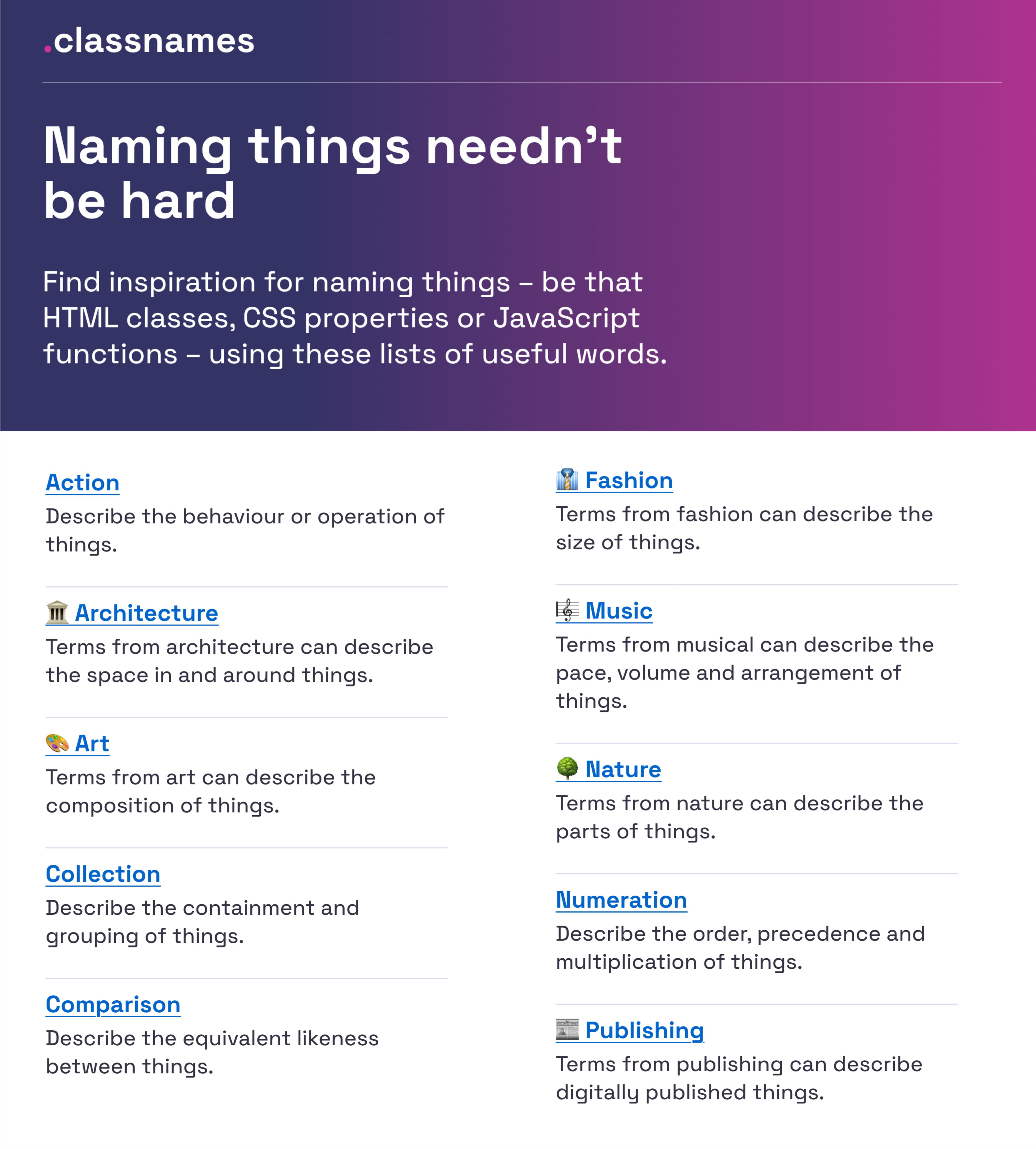
If you’re looking for some inspiration for naming HTML classes, CSS properties, or JavaScript functions, Classnames is a wonderful resource jam-packed with ideas that get you thinking outside the box.

The site provides thematically grouped lists of words perfect for naming. You’ll find terms to describe different kinds of behavior, likeness between things, order, grouping, and association, but also themed collections of words that wouldn’t instantly come to one’s mind when it comes to code, among them words from nature, art, theater, music, architecture, fashion, and publishing.

How To Name Colors

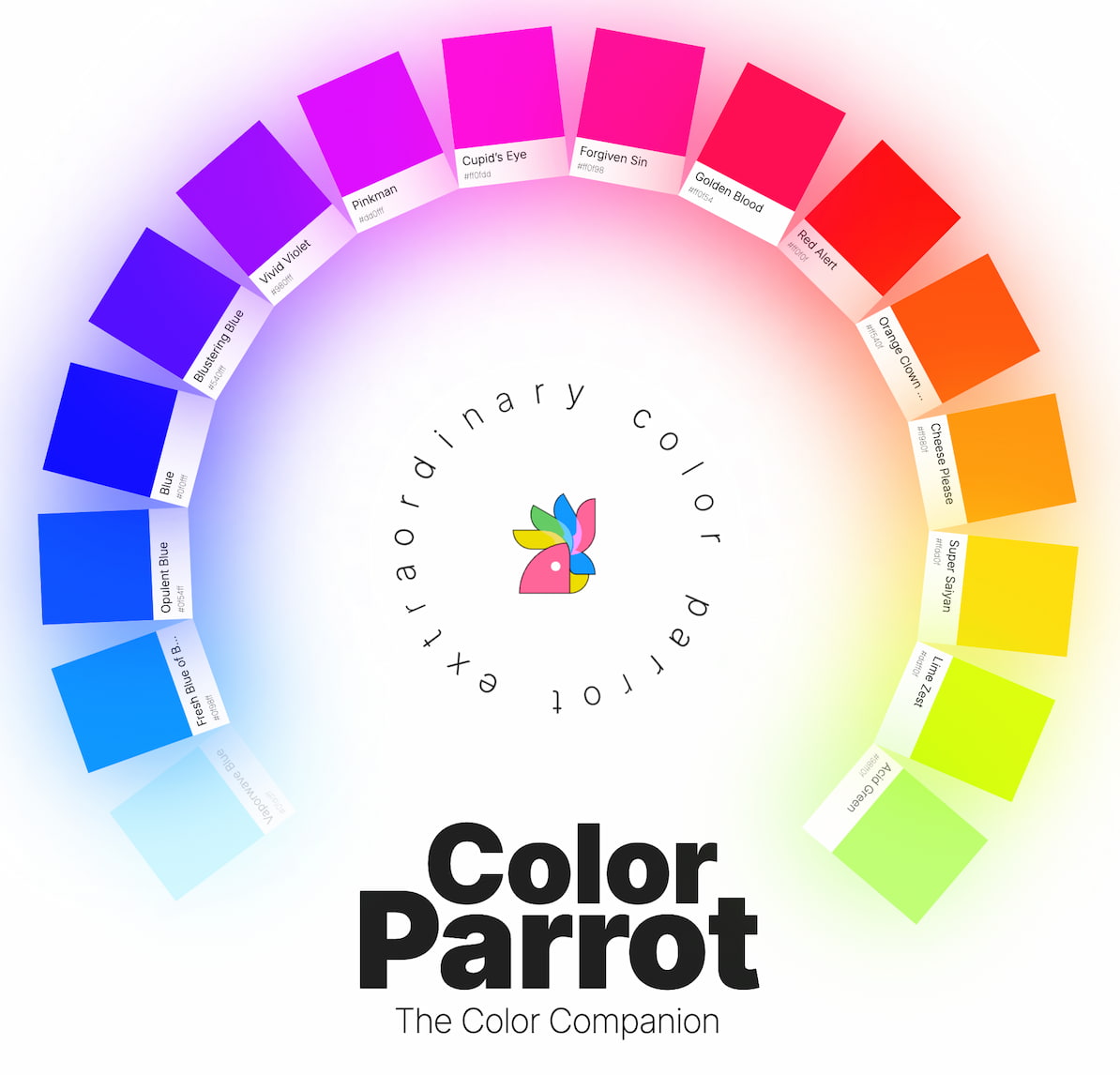
How would you choose the right name for a given color? Fortunately, David Aerne maintains a tremendous repository of color names, currently with 30355 unique color names, sourced from various references and 1000s of user contributions.

Of course, the repository comes with a color picker and name search and plenty of other color pickers as well. Tremendous work, which is also a fantastic reference to keep nearby.

How To Name Layers and Groups

What makes a good name? Javier Cuello summarized a set of naming best practices that help you name your layers, groups, and components in a consistent and scalable way.

As Javier points out, a good name has a logical structure, is short, meaningful, known by everyone, and not related to visual properties. He shares do’s and don’ts to illustrate how to achieve that and also takes a closer look at all the fine little details you need to consider when naming sizes, colors, groups, layers, and components.

How To Name Design Tokens

How to build a flexible design token taxonomy that works across different products? That was the challenge that the team at Intuit faced. The parent company of products such as Mailchimp, QuickBooks, TurboTax, and Mint developed a flexible token system that goes beyond the brand theme to serve as the foundational system for a wide array of products.

Nate Baldwin wrote a case study in which he shares valuable insights into the making of Intuit’s design token taxonomy. It dives deeper into the pain points of the old taxonomy system, the criteria they defined for the new system, and how it was created. Lots of takeaways for building your own robust and flexible token taxonomy are guaranteed.

Frequent Names For UI Components

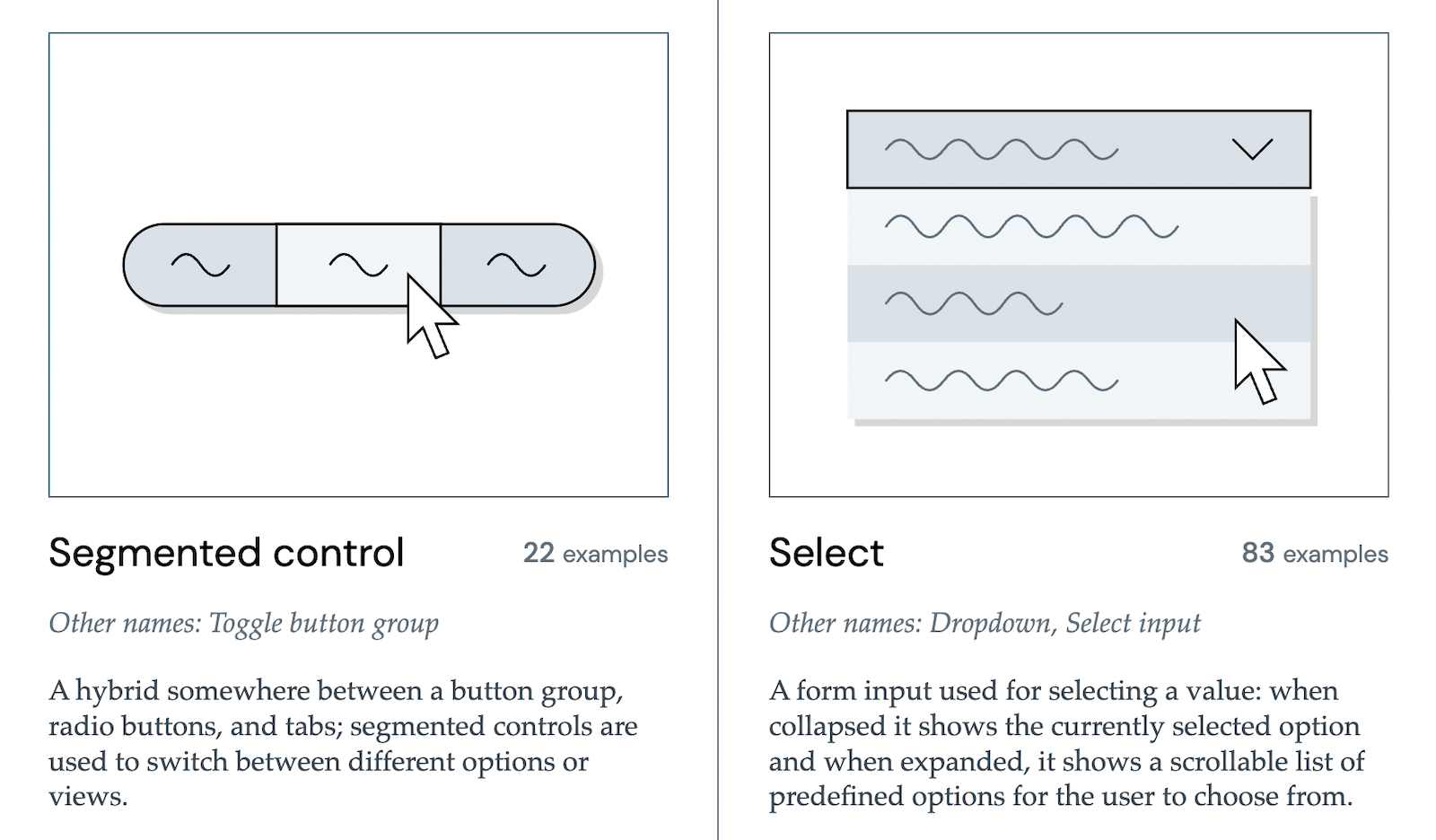
Looking at what other people call similar things is a great way to start when you’re struggling with naming. And what better source could there be than other design systems? Before you end up in the design system rabbit hole, Iain Bean did the research for you and created the Component Gallery.

It’s a collection that includes plenty of examples for more than 50 UI components — from accordion to visually hidden — and also lists other names that the UI components go by. A fantastic resource, and not only with regard to naming.

Bonus: Name That UI, a visual dictionary of common UI components.
How To Name New Features

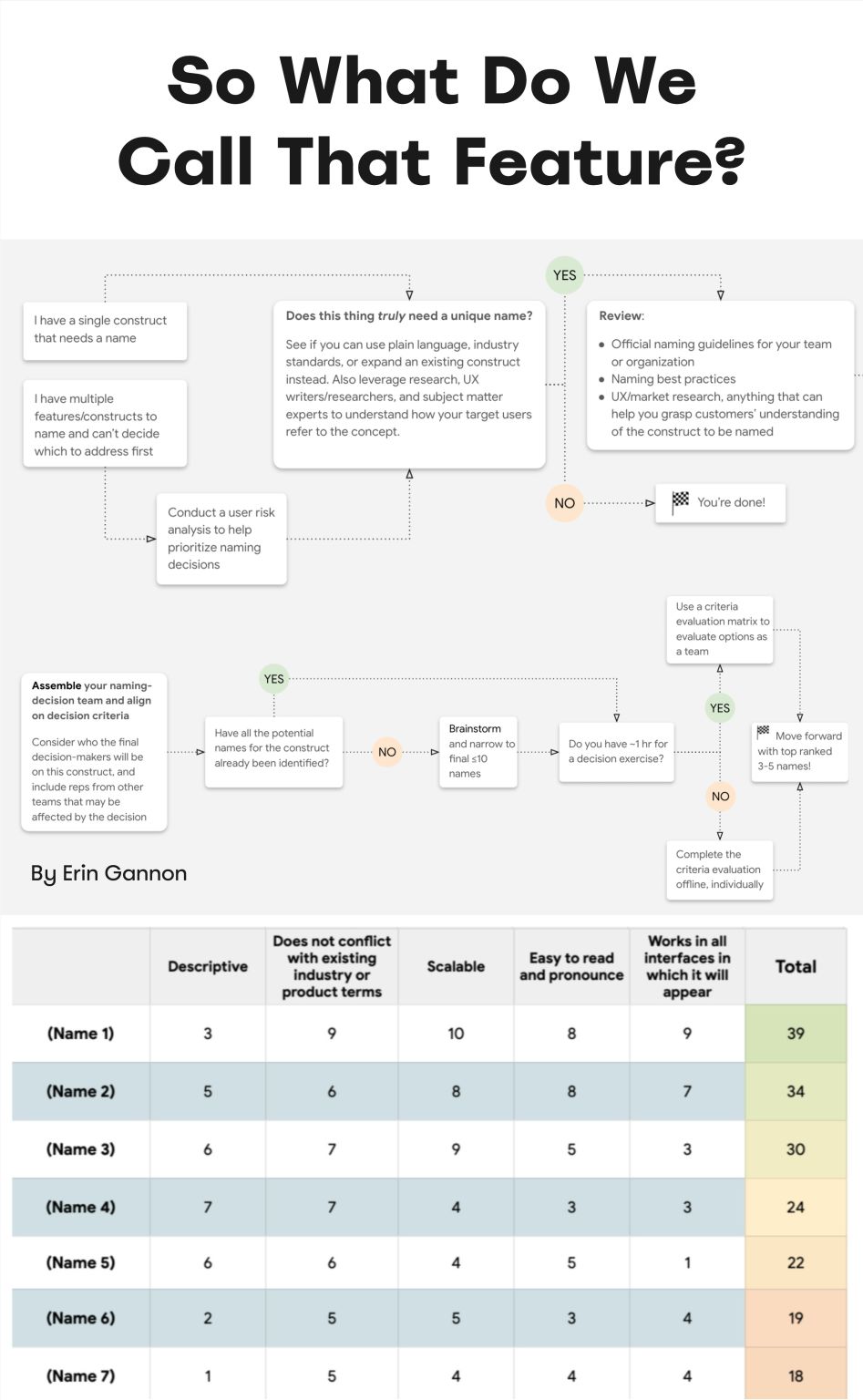
Features often have low adoption due to poor discoverability. Feature adoption needs time — first the feature must be discovered, then understood, then tried, learned, and eventually built into existing workflow. Erin Gannon has written a helpful practical guide on how to make sure all of it happens.

Good names are driven by user needs and problems. They should signal the value or outcome of a feature (the job-to-be-done), and — most importantly! — tap into the user’s own language. So ask people to explain a feature in their own words and then use the words they use.

How To Name Variables (Taxonomy Map)

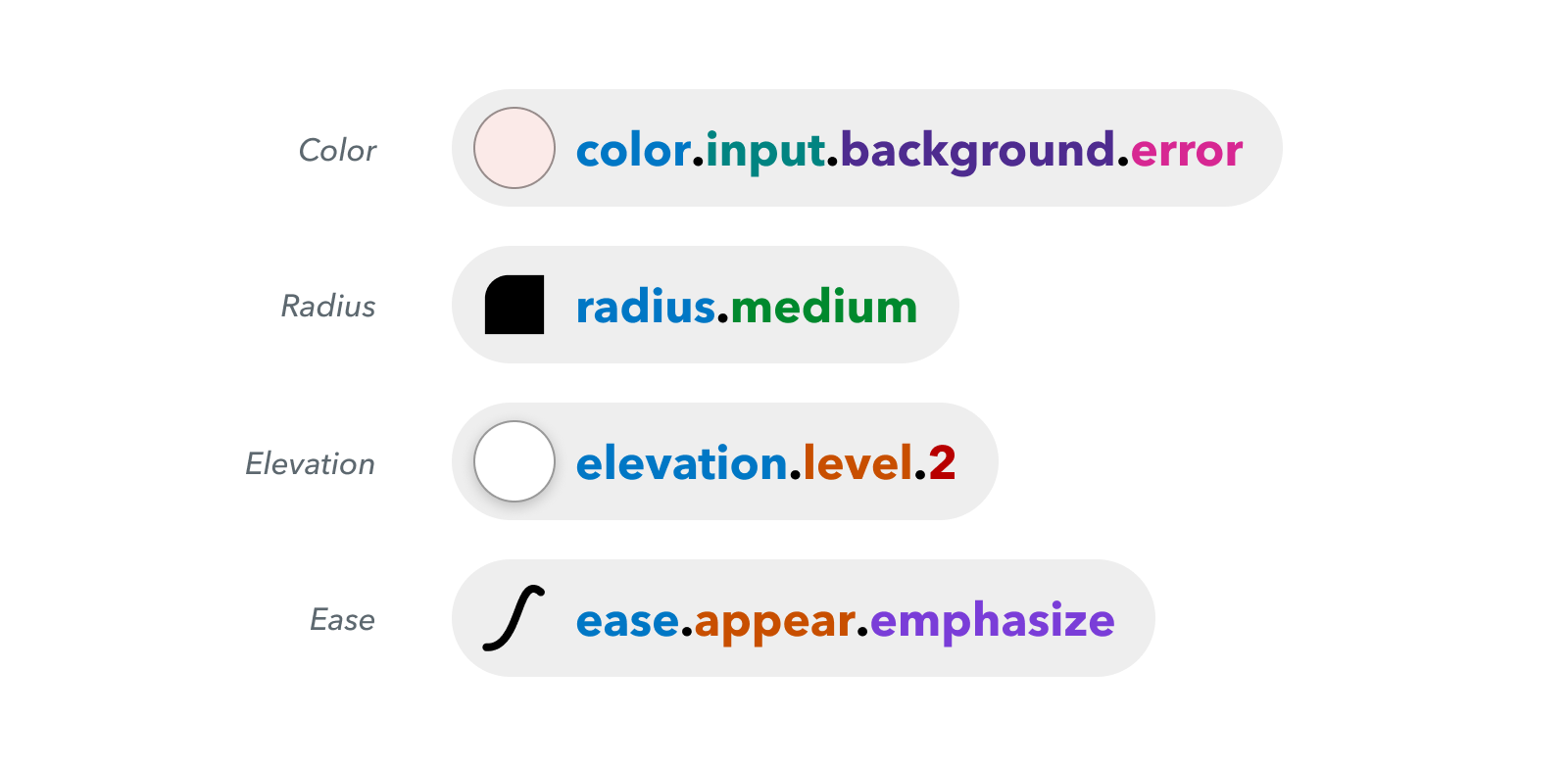
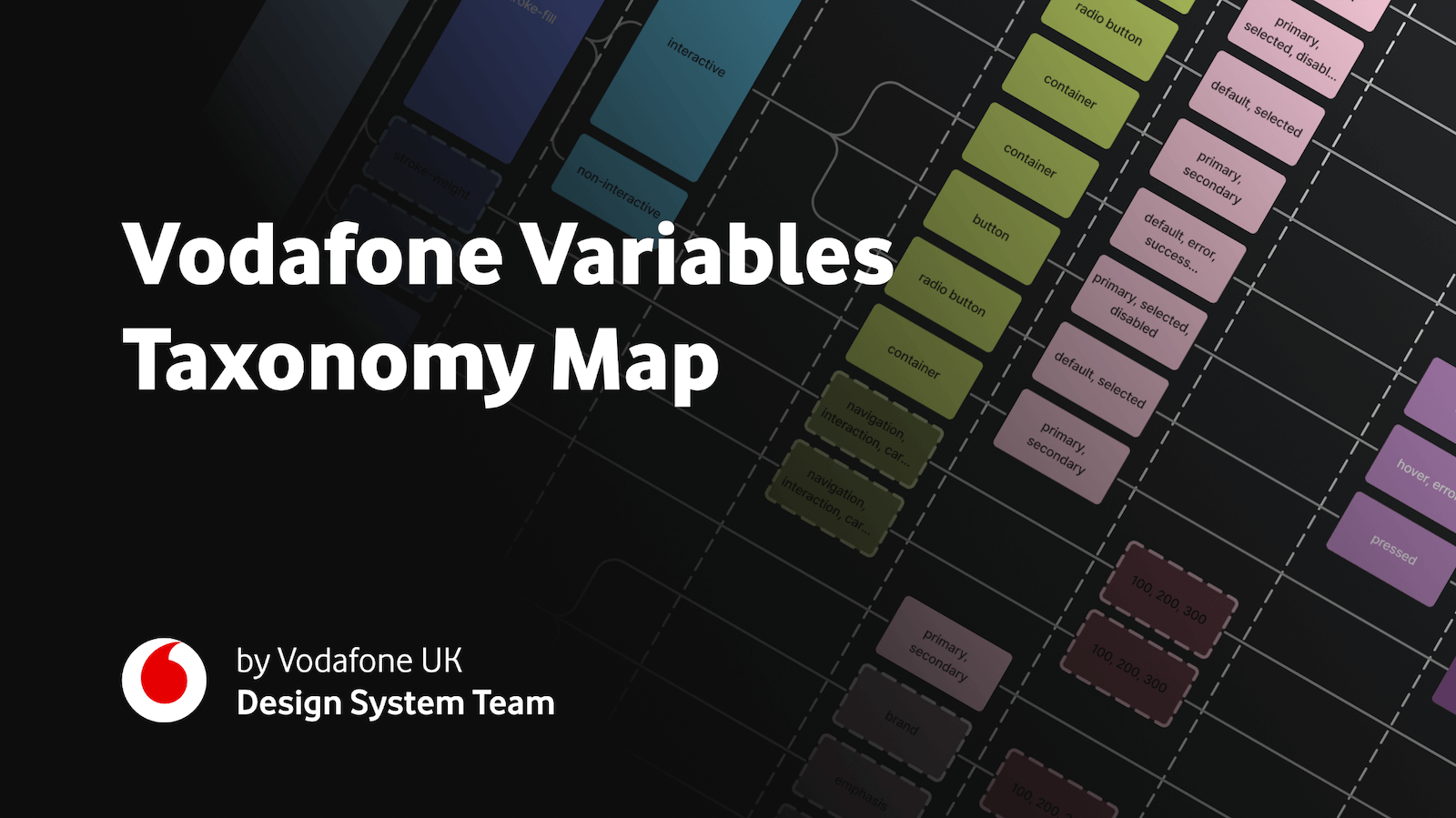
A wonderful example of naming guidelines for a complex multi-brand, multi-themed design system comes from the Vodafone UK Design System team. Their Variables Taxonomy Map breaks down the anatomy and categorization of a design token into a well-orchestrated system of collections.

The map illustrates four collections required to support the system and connections between tokens — from brand and primitives to semantics and pages. It builds on top of Nathan Curtis’ work on naming design tokens and enables everyone to gather insight about where a token is used and what it represents, just from its name.

If you want to explore more approaches to naming design tokens, I’ve put together a list of useful Figma kits and resources that are worth checking out.

Design Token Naming Guide + Inventory

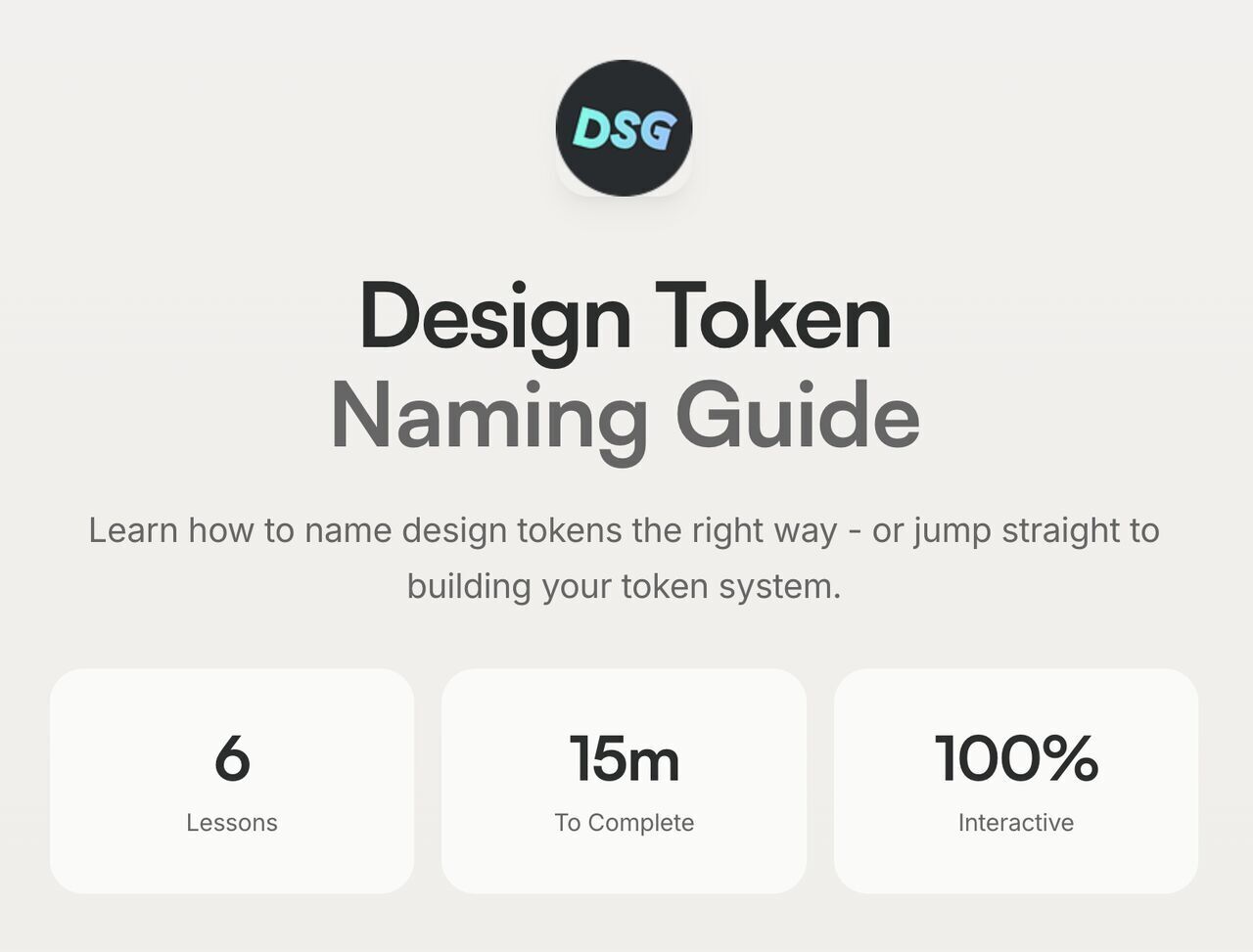
Romina Kavcic created a helpful little tool for naming design tokens — from learning how they work and how to name them well to configuring your own naming structure with components, categories, states, and roles.

Bonus: The Design Token Names Inventory spreadsheet, with a simple structure with four levels to give you a bird’s-eye view of all your design tokens. You can easily add rows, themes, and modes without losing track, and filter your tokens.
Naming Products or Services

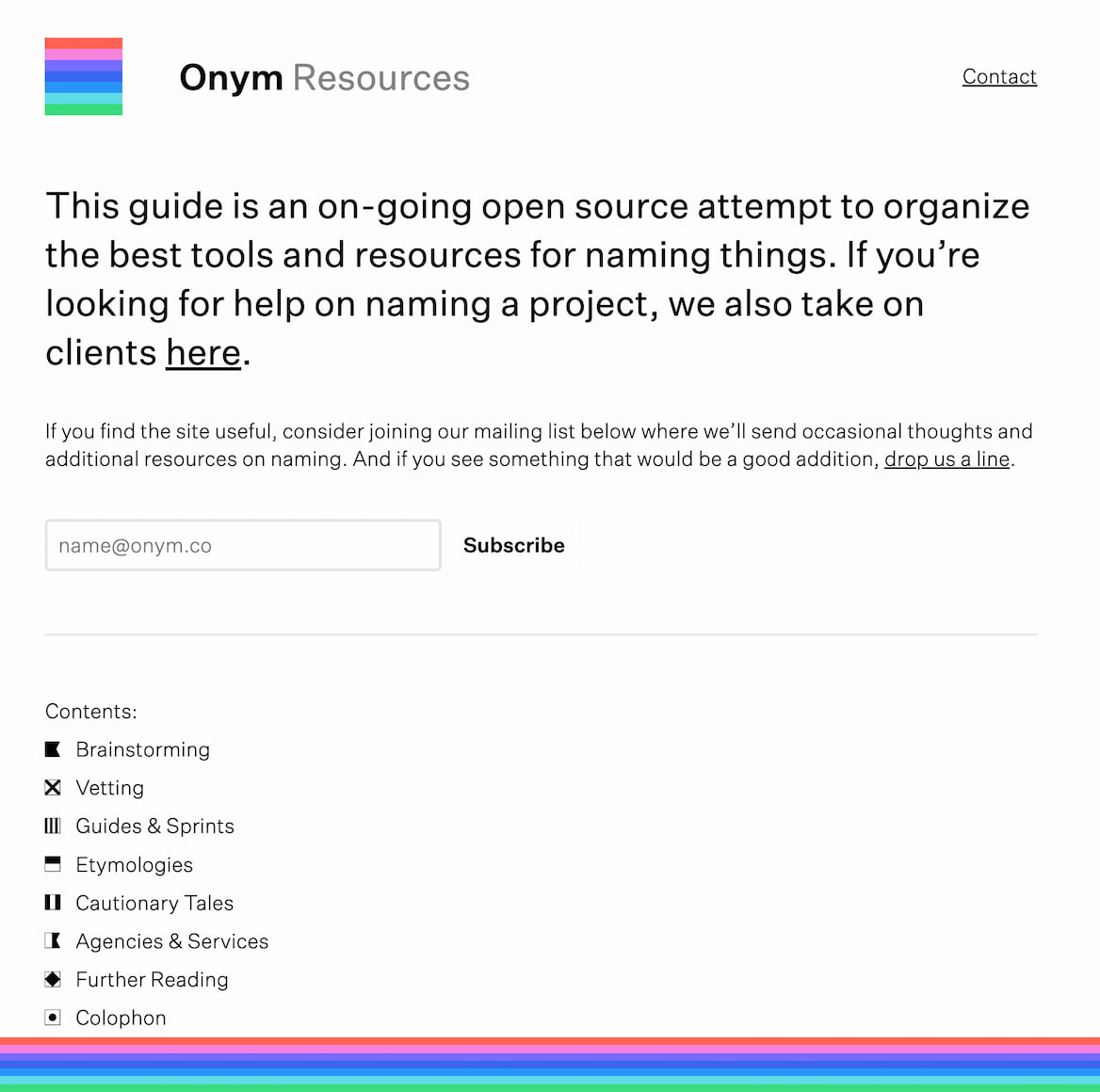
If you are looking for the right name for your product or service, Onym is a fantastic open-source repository that organizes tools and resources for finding names for brainstorming, vetting, guides, sprints, etymologies — all the way to cautionary tales and agencies that name things, as well as useful books to take a look at.

Useful Bookmarks for Naming Things

A quick-reference list of tools and guides for naming just about... well, anything, in one place:

Wrapping Up

The right name is the one that’s well-understood and used by the team and users. So much time is wasted speaking about the very same thing but in different dialects — the designer’s dialect, the developer’s dialect, the product manager’s dialect, and the user’s dialect. That’s what often causes frustration and confusion.

So if you see low adoption, it might be merely because of the name. And pay attention to potential naming conflicts and put them in a backlog of things to address later. It’s one of those fine little details that can reduce frustration and confusion and help teams work together better.

Editor’s Note

We hope you’ll find these wonderful projects useful — put together by wonderful creators. A friendly shout-out to everyone sharing their work with folks to use and learn from! That’s one of the reasons why we truly love the web and people building and designing it. 💚

At Smashing, we love the web. That’s why we publish articles and books, run workshops and events around everything web. We love seeing what we all can do to make the web more accessible and usable. We also love organizing and attending online events — with friendly discounts for large groups (5+ attendees) and schools and students. Interested? Just send us an email and we’ll sort it out!

  •  

Le sous-titrage automatique : une solution de secours pour vos événements en présentiel

Conférences, présentations, discours, réunions… De nombreux événements restent ou reviennent en présentiel. Ces événements incluent souvent une présentation, des prises de parole et… un manque d’accessibilité pour les personnes sourdes. 

Même dans le cadre d’événements internes, où il serait facile de penser qu’aucune personne sourde ne participera, le sous-titrage a sa place. En effet, la surdité présente différents niveaux, de légère à profonde, et certaines personnes peuvent avoir besoin de sous-titres sans que vous le sachiez. Et plutôt que d’avoir à connaître les besoins individuels de chaque personne, il est bien plus simple de rendre ces événements accessibles par défaut.

  •  

La boîte à outils des agences augmentées par l’IA, par Marie Robin (Fleet Forward)

La boîte à outils des agences augmentées par l’IA, par Marie Robin (Fleet Forward)Un outil n'a sa place dans une agence que s'il nourrit sa mémoire ou qu'un agent IA peut s'y brancher. Marie Robin, fondatrice de Fleet Forward, livre les 10 abonnements qu'elle garderait si elle devait résilier tous les autres.
  •  

New learning paths: curated YouTube playlists for Search fundamentals and Technical SEO

Over the years, the Search Central YouTube channel has published hundreds of videos across various series, from Search for Beginners and Ask Googlebot to Search Console Training and Search Off the Record. While our series structure works well for deep dives and episodic updates, we know that finding a clear, sequential learning path from scratch can sometimes be challenging.

  •  

Web Weekly #200 (#blogPost)

Guten Tag! Guten Tag! 👋

Do you know that fetch has two phases? Are you wishing for a better way than CSP to control outgoing network connections? And should you ship import maps in your sites?

Turn on the Web Weekly tune and find some answers below. Enjoy!

::: song by="Ellen" title="Joshua Idehen - Mum Does The Washing" youtube="PS9Bc_GQBEs" The first time I heard it, I laughed out loud. The second time, I laughed quietly. The third time, I got up and hung out the laundry that had been sitting in the drum since Friday and had, by then, developed a worldview of its own. Give the song a listen. Ideally while folding laundry. Or, let's be honest, while watching someone else fold it. :::

Do you want to share your favorite song with the Web Weekly community? Hit reply; there are three more songs left in the queue.

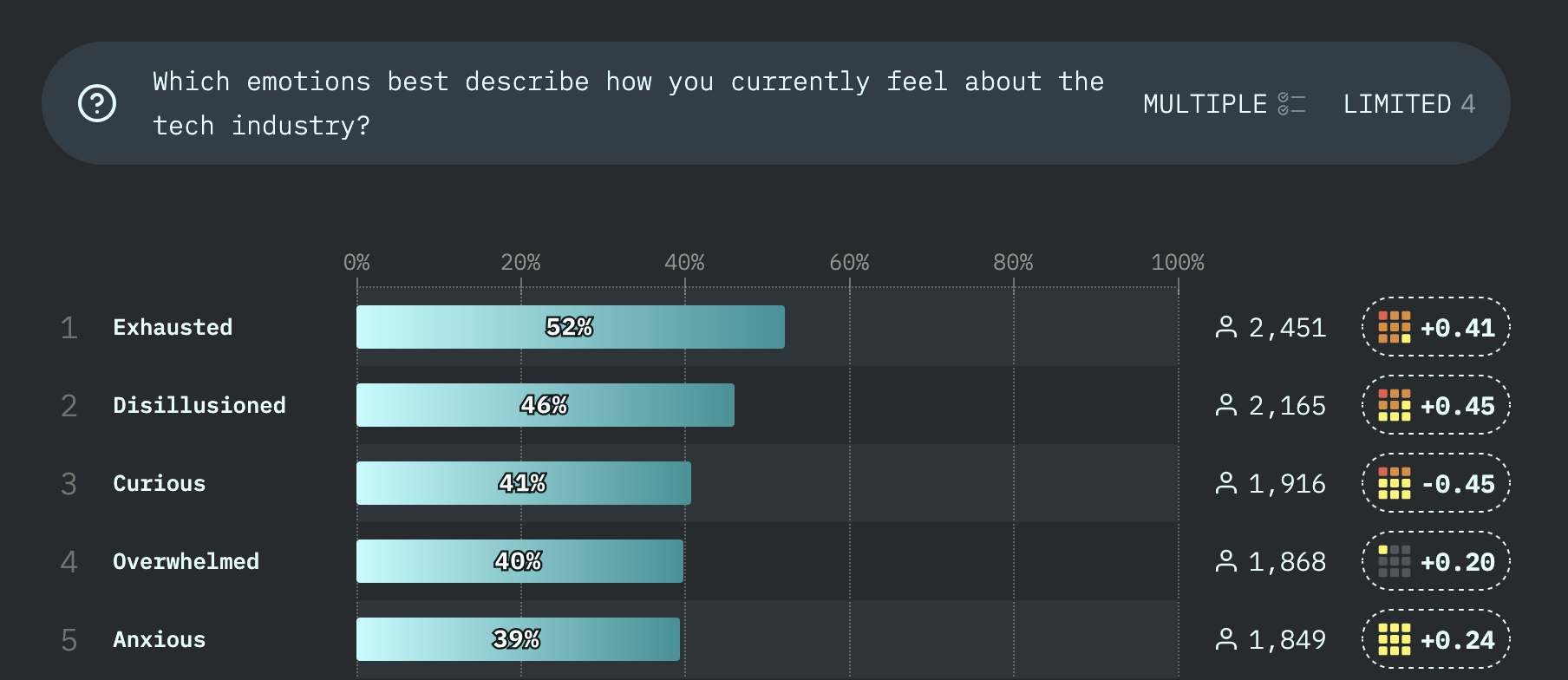
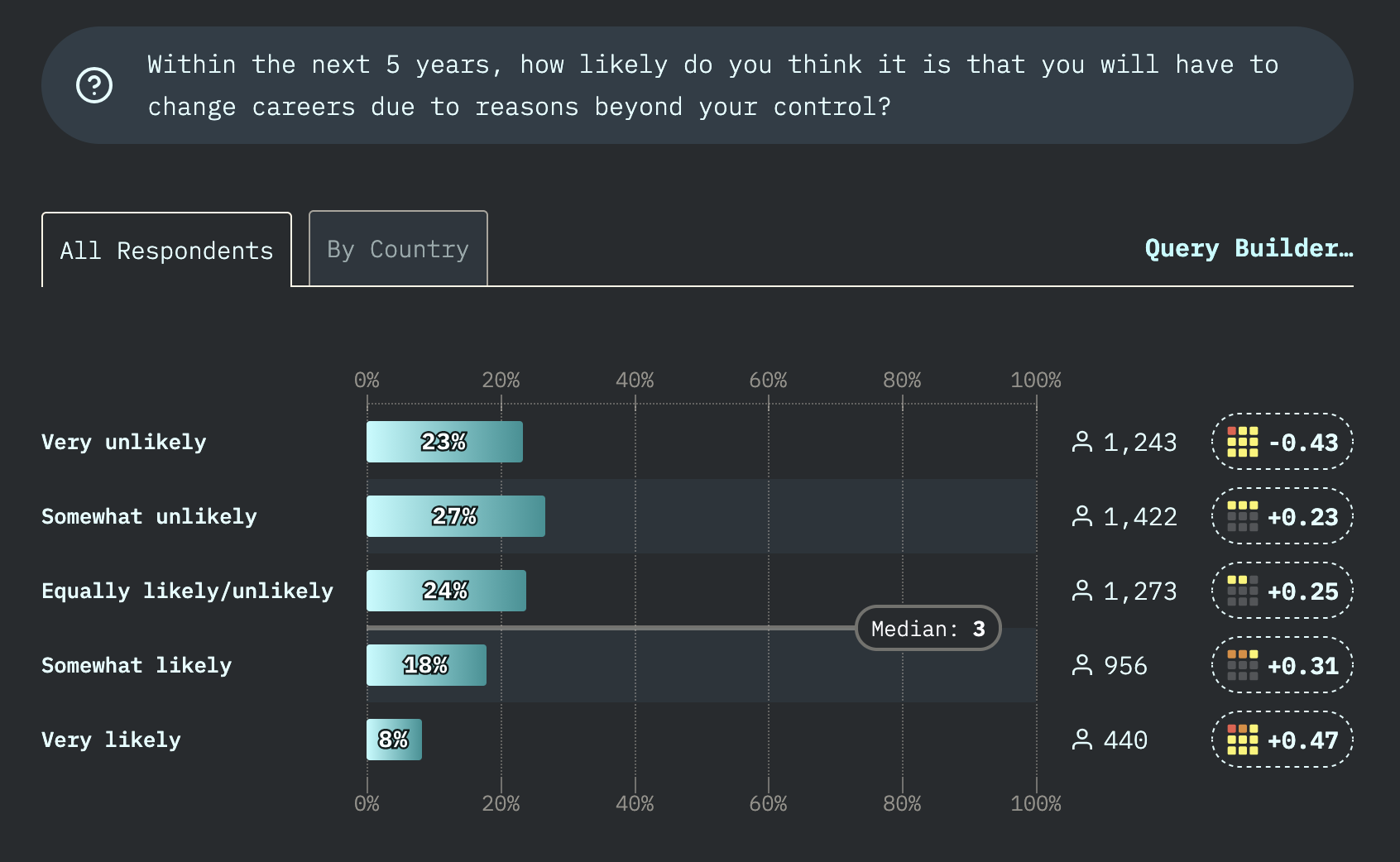
I asked you to participate in the State of Dev survey in Web Weekly 197. The results are in, so let's have a look at how the 5,463 respondents feel about the industry. 🤞

The intro covers all the topics that I and probably you felt over the last 12 months. I don't want to start this email with a downer and only look at one stat in this topic area. The current emotions about the tech industry in the intro summarize things fairly well for me.

This is pretty wild: if you include the folks that said that staying and leaving tech are about as likely, 50% of the participants think that not working in tech in 5 years is a real possibility. I also joke around that I will do something "real" eventually, but I'm surprised that it's so many of us. Let's all meet in the forests to chop some wood then!

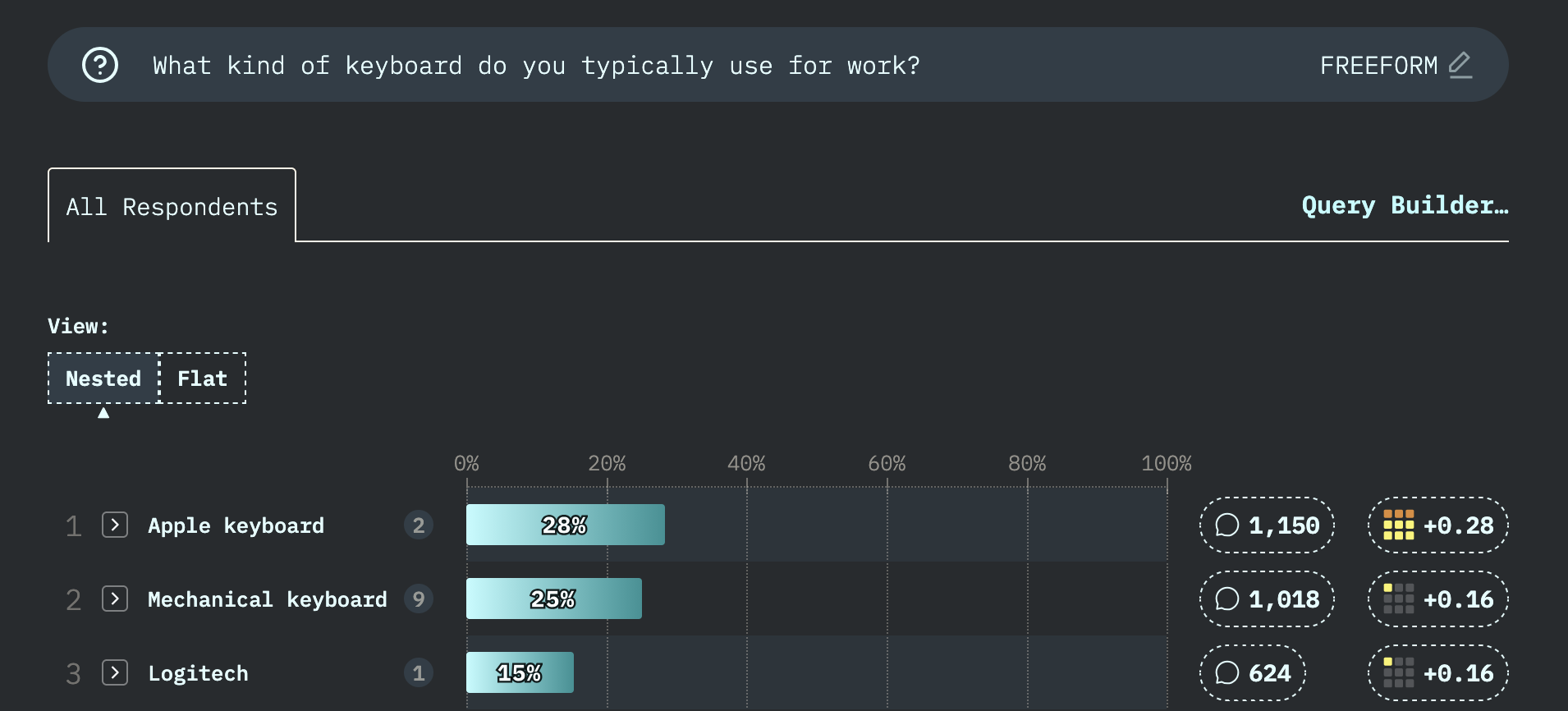
28% of the people type on the "not so great" Apple keyboard? Wow! If that's you, take care of your wrists and join #teamSplitKeyboard! It really does make a difference.

And to close this small highlight section: the favorite video game is Clair Obscur: Expedition 33, and the most-read book is Dungeon Crawler Carl. I haven't heard of either. Are they that good? Should I try them? I'll get a new PlayStation for GTA 6 anyways... 🫣

Generally, I'd say that the survey results are more positive than I thought they would be. And that makes me happy, because I tend to doom spiral every now and then. Not today, though, so let's get into some good web stuff!

If you enjoy Web Weekly, share it with your friends and family.

A quick "repost" really helps me out. Thank you! ❤️

Web Weekly Housekeeping

You might have noticed that I sent out the last Web Weekly four weeks ago. What happened to the "weekly"?

First of all (and I mentioned that a couple of times already), doing something every week is way harder than you might think. Running Web Weekly caused me a lot of stress and anxiety over the years, and I needed to learn that the world won't end if I skip a week or two. Shocking, I know.

And second of all, I have been very busy. I reentered the conference game and spoke at two events in the US and Greece. And on top of that, I participated in two "kinda ultra" cycling marathons (for the Strava bike nerds, let's connect!). And with these events lined up, there was frankly no time to read the news or write the newsletter. But here we are again. So let's get to it! 🎉

A big shoutout this week goes out to Daniel and David! Thank you so much for supporting Web Weekly. 58 people now help me out with a little bit of money. Thank you all!

These small gestures really keep me going in these tough times of unlimited slop grenades. If you also want to support indie publishing, you can do so on Patreon or GitHub Sponsors.

Something that made me smile this week

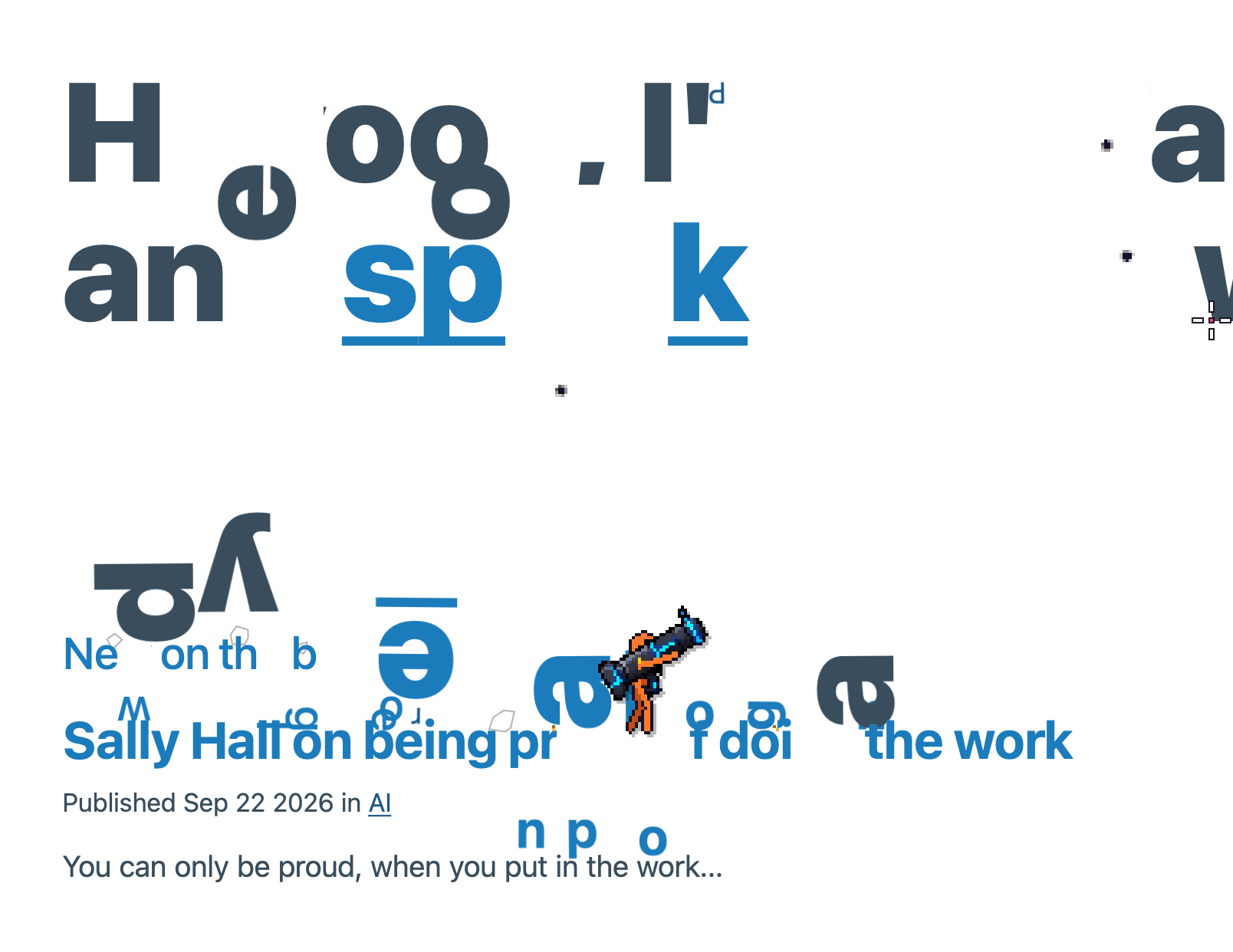
I had a hard time capturing this site's awesomeness, but, honestly, this is very good!

If you ever wanted to destroy a website, today's the day because you can instruct this little "funny orange guy" (not the president) to shoot at elements. The jumping around on headings and images is very smart, too.

Destroy elements

No code

  • Sometimes it's better not to say anything → "[Social media dialogue] is a lot of saying and not much listening. Which is why it often degrades into the lowest forms of communication: the name-calling, the ridiculing, the mocking, the shouting, the insulting."
  • On being proud of doing the work → "People recognize what you did when they see (or understand) how much work went into it."
  • I don't want the details → "I realised that 'I don't want the details' wasn't being dismissive."

From the future: linked parameters in SVG

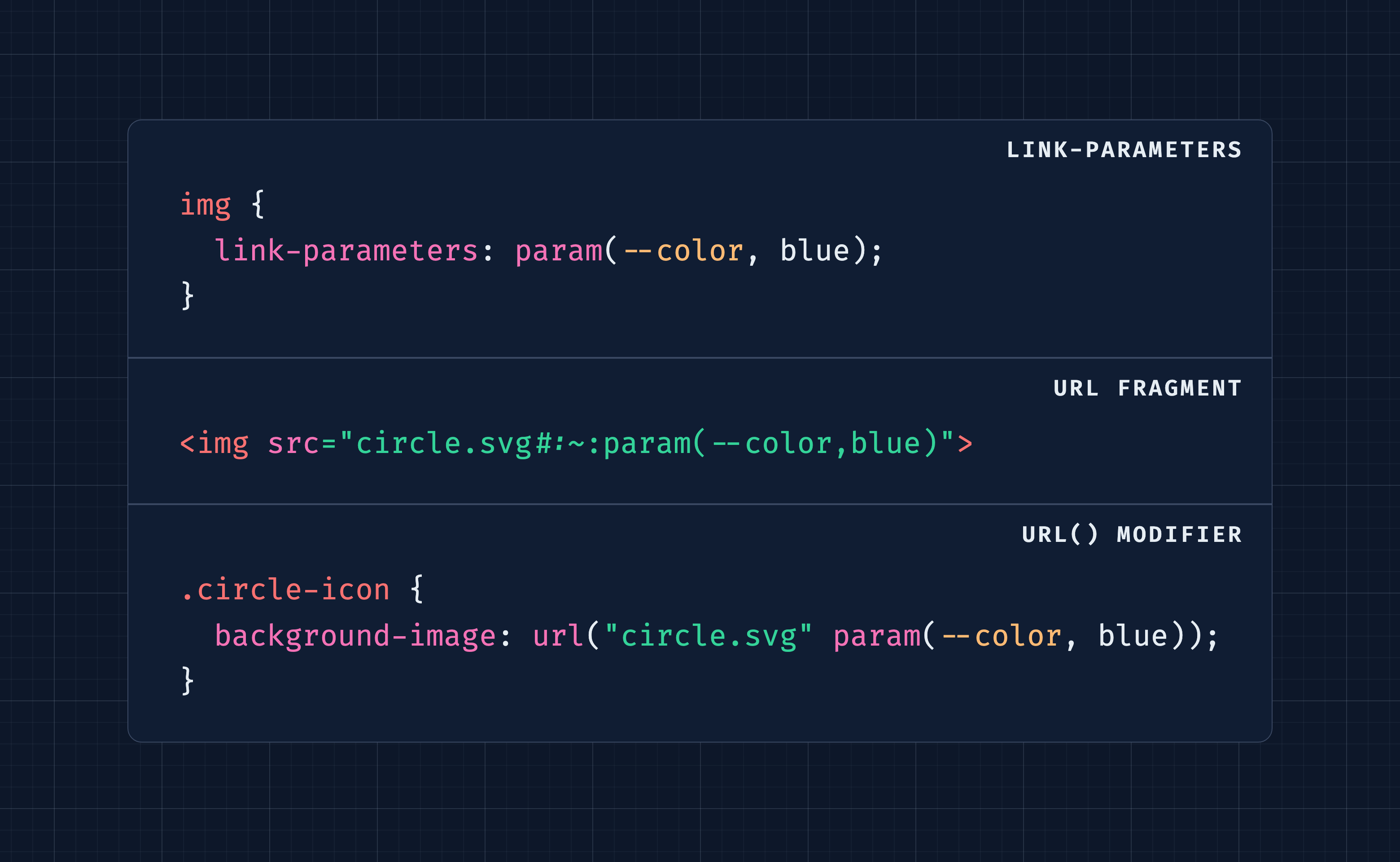
I already shared link parameters in Web Weekly 196. What are they about?

You probably know the problem: you load some SVGs from somewhere external and would like to pass in some colors or variables. That hasn't really been possible until now. Firefox Nightly has now shipped the first parts of the new Linked Parameters Module spec.

Ollie published a TL;DR on it if you want to learn more, but for a more practical example Vadim has you covered. 👇

Link some values

The two phases of fetch

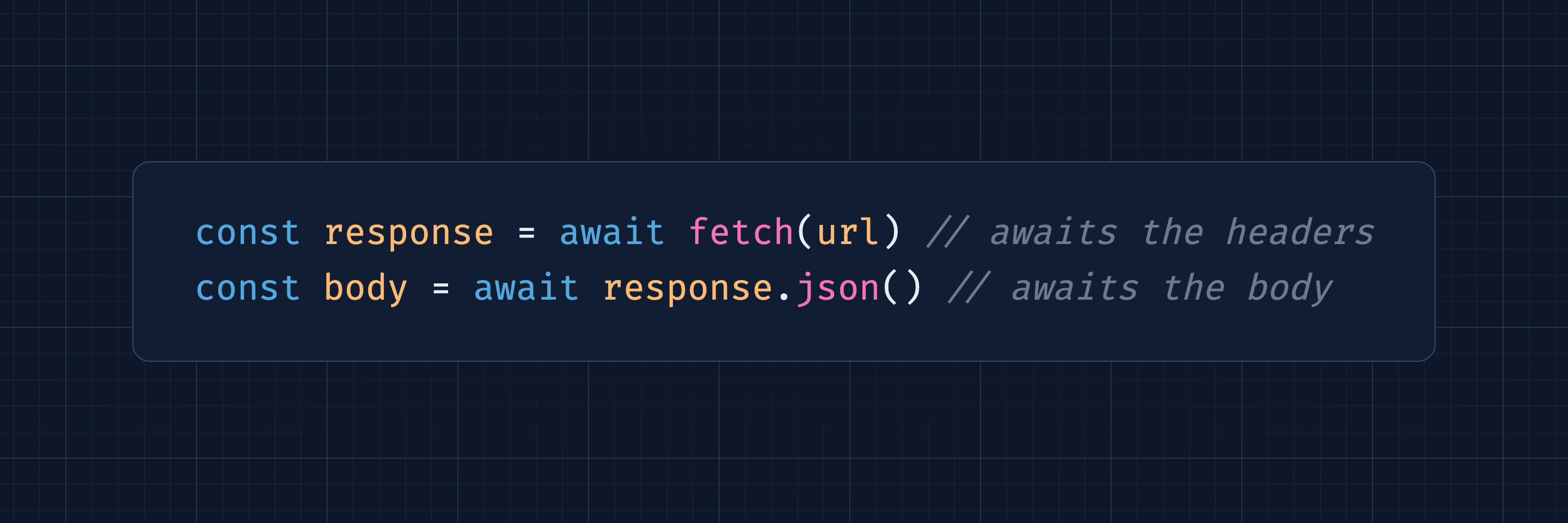
Did you ever wonder why you need to await twice to access the response body using fetch? I didn't but was honestly annoyed by it. However, after reading Gabor's post, things make more sense. The first await will wait for the response headers to come in. The second await waits for the response body. And generally, I didn't know that response.body is a ReadableStream.

If you want to nerd out about fetch and JS internals, you'll dig this article.

Understand fetch

Mobile zoom tips

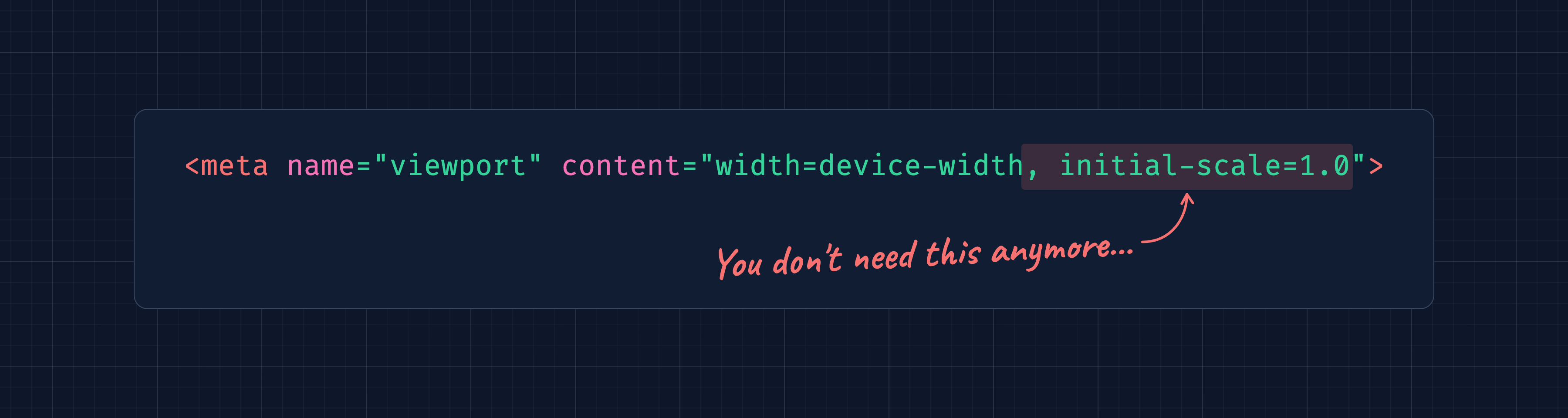
I just redeployed my site because Vale reminded me that I'm using a relic of the past. Today I learned that initial-scale isn't needed to prevent iOS from doing weird zoom things anymore.

Clean up

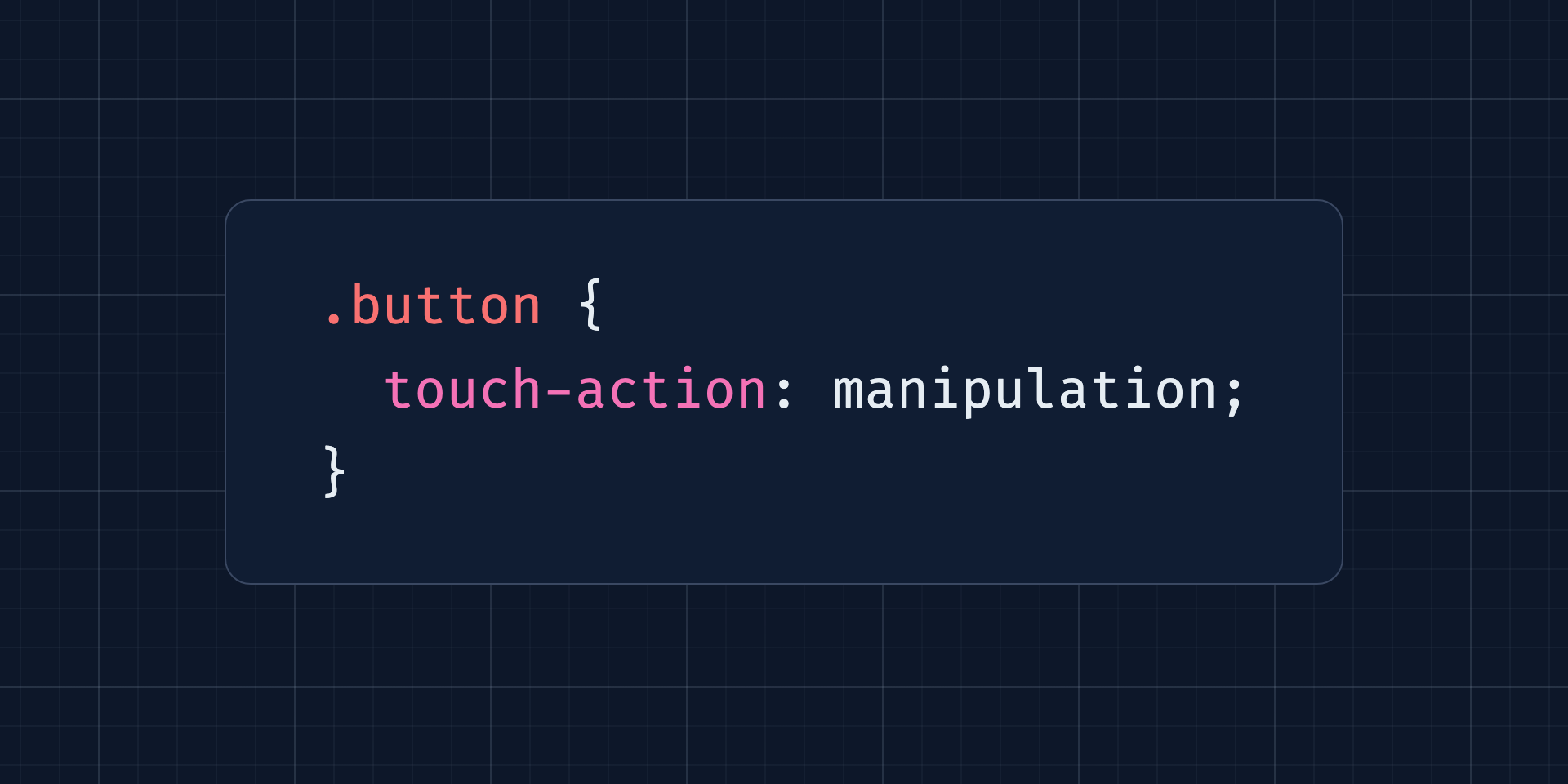
And speaking of zoom actions, have you ever used the touch-action CSS property? Andy explained when it can be helpful.

Ignore the double taps

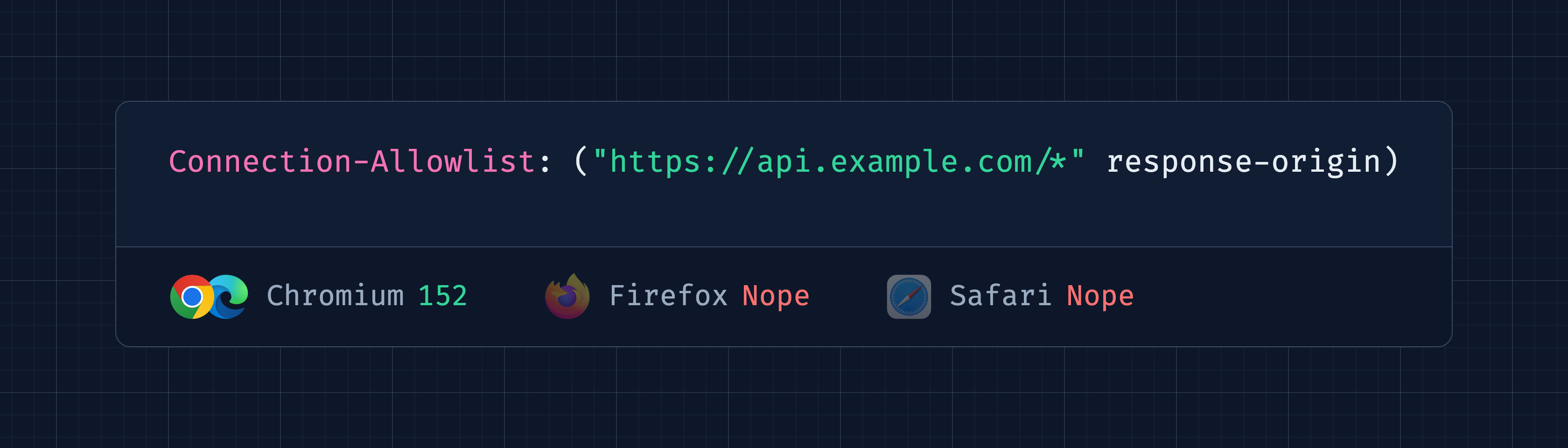
A new way to control the network

Do you ship a content security policy (CSP) on your site? Be honest, I won't judge.

I do on stefanjudis.com, and it's quite something. CSP has always been powerful but also seemed way too complicated. And what do you do when an old standard is too complicated? Correct, you invent a new one. In this case (as always) it feels okay, though. I like having a quick way to block/allow connections. What do you think?

Stay in control

It sucks, though, that there are no real MDN docs for this yet... It seems like the web platform docs are slowly slipping...

The wonderful weird web

I shared many weird web things over the years, but this site is definitely in the weirdness top three. I can't even describe (or understand) what is going on here but man... I love the weird internet.

Collect things?

Problems with bidirectional text

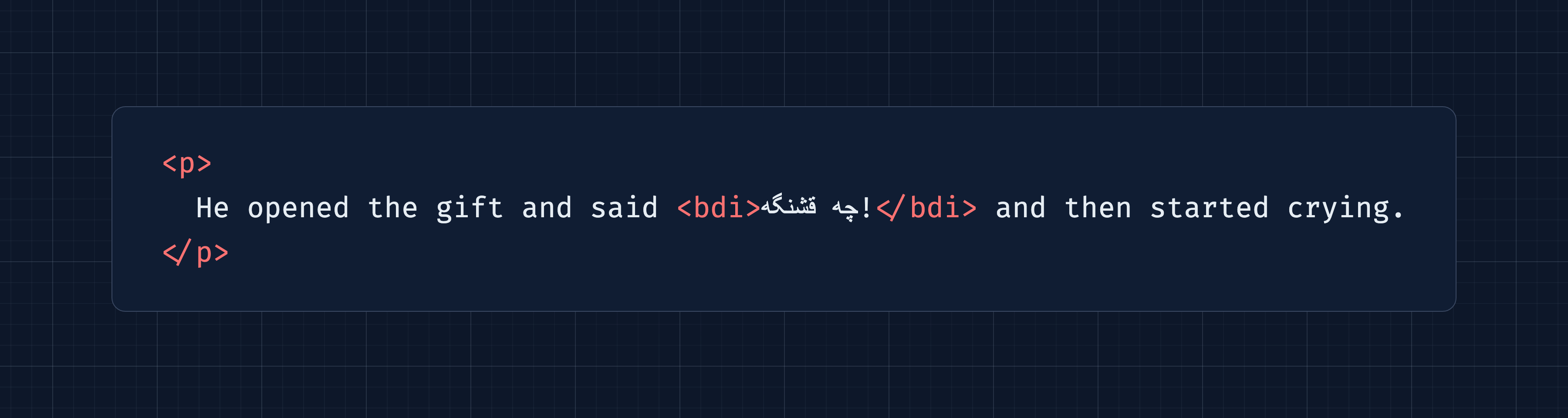
I've never had to build sites shipping in languages that are read right-to-left. That's gotta be tough for sure. Mojtaba explains what it takes to mix and match left-to-right and right-to-left text. Be ready, there'll be dir=auto (which I haven't seen before), the bdi element, and the U+200E / U+200F Unicode characters.

Keep the right order

Named breakpoints without media queries

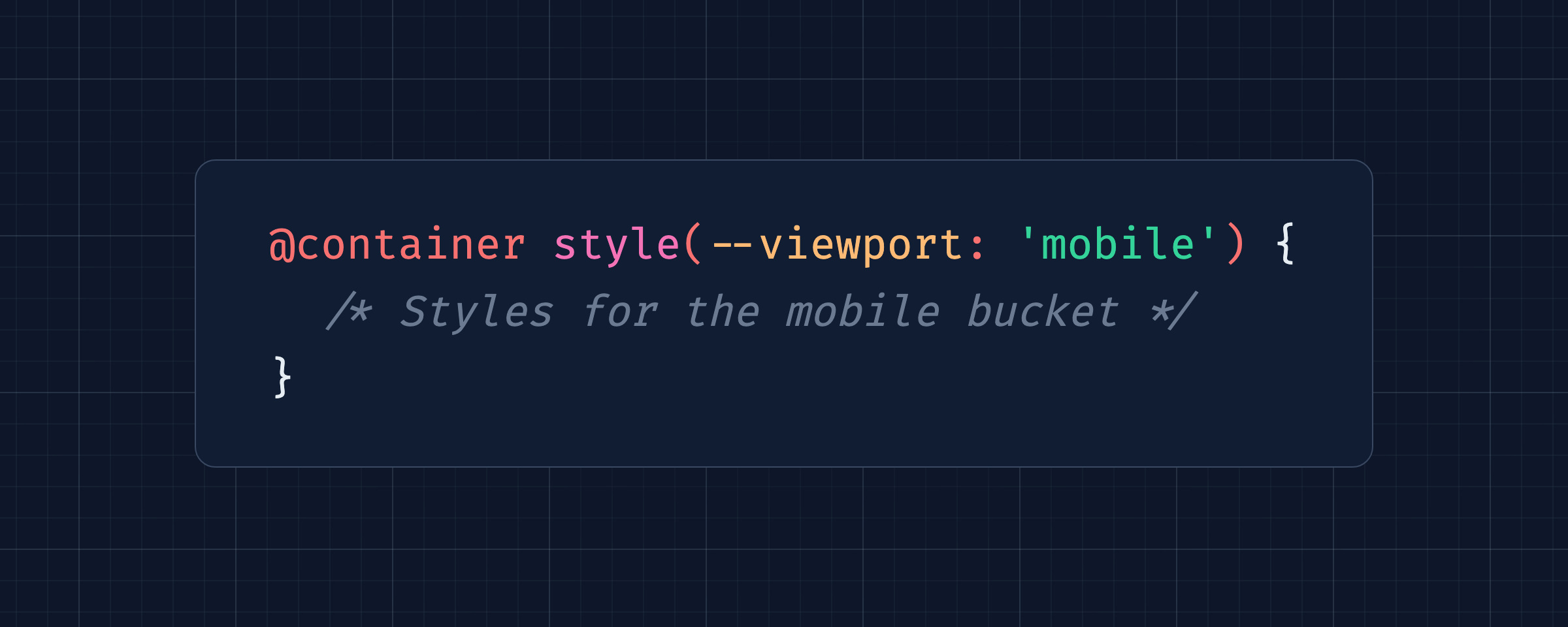
I'm not gonna lie, I'm still bummed about @custom-media going nowhere, but now that container style queries have reached Baseline, you can use them to name your breakpoints with a little trick.

Name your breakpoints

Bramus' custom elements tour

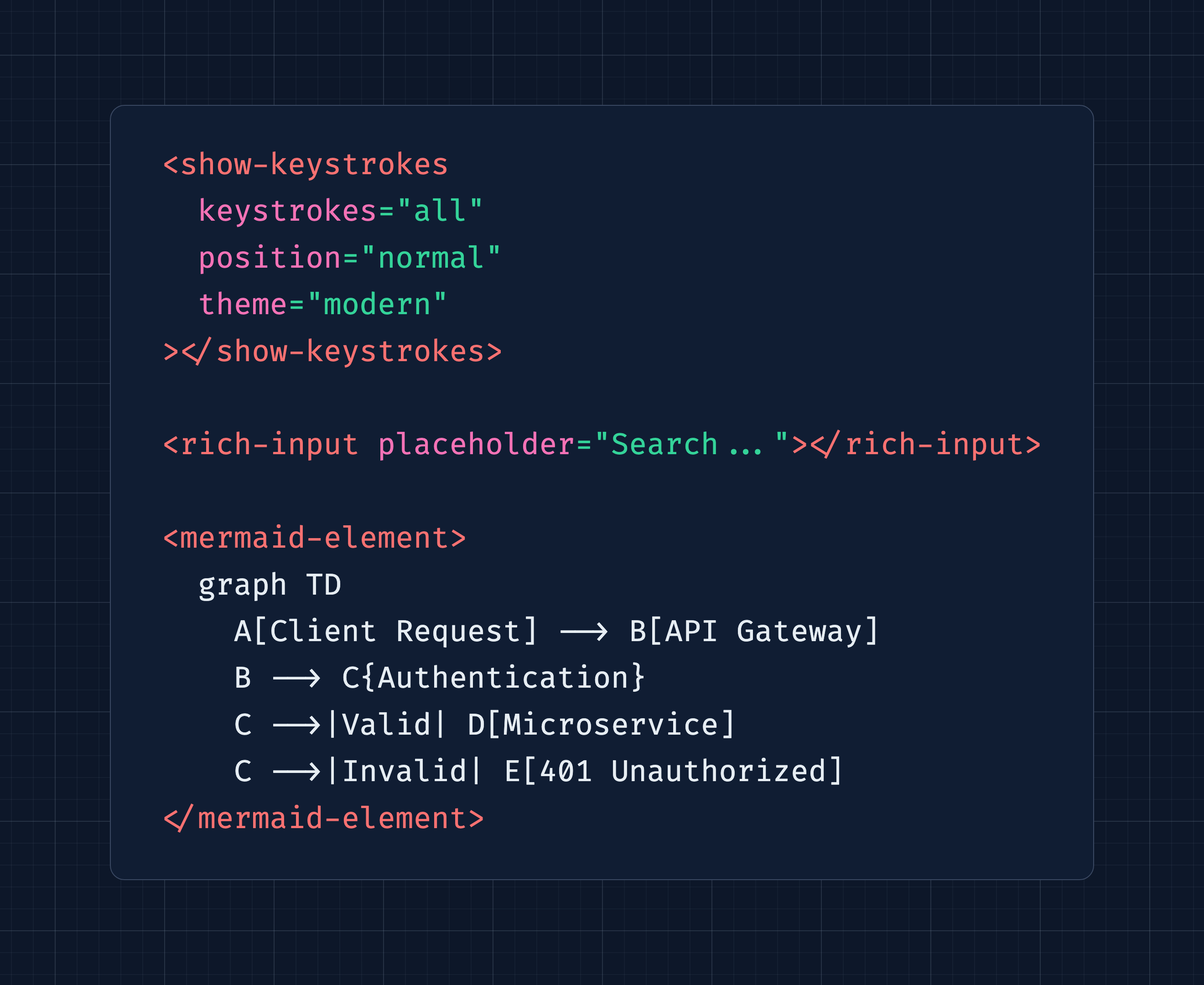
Bramus was busy extending the web platform the last couple of weeks. If you're in need of any of these elements, give him a high five when you see him!

CSS-only custom elements

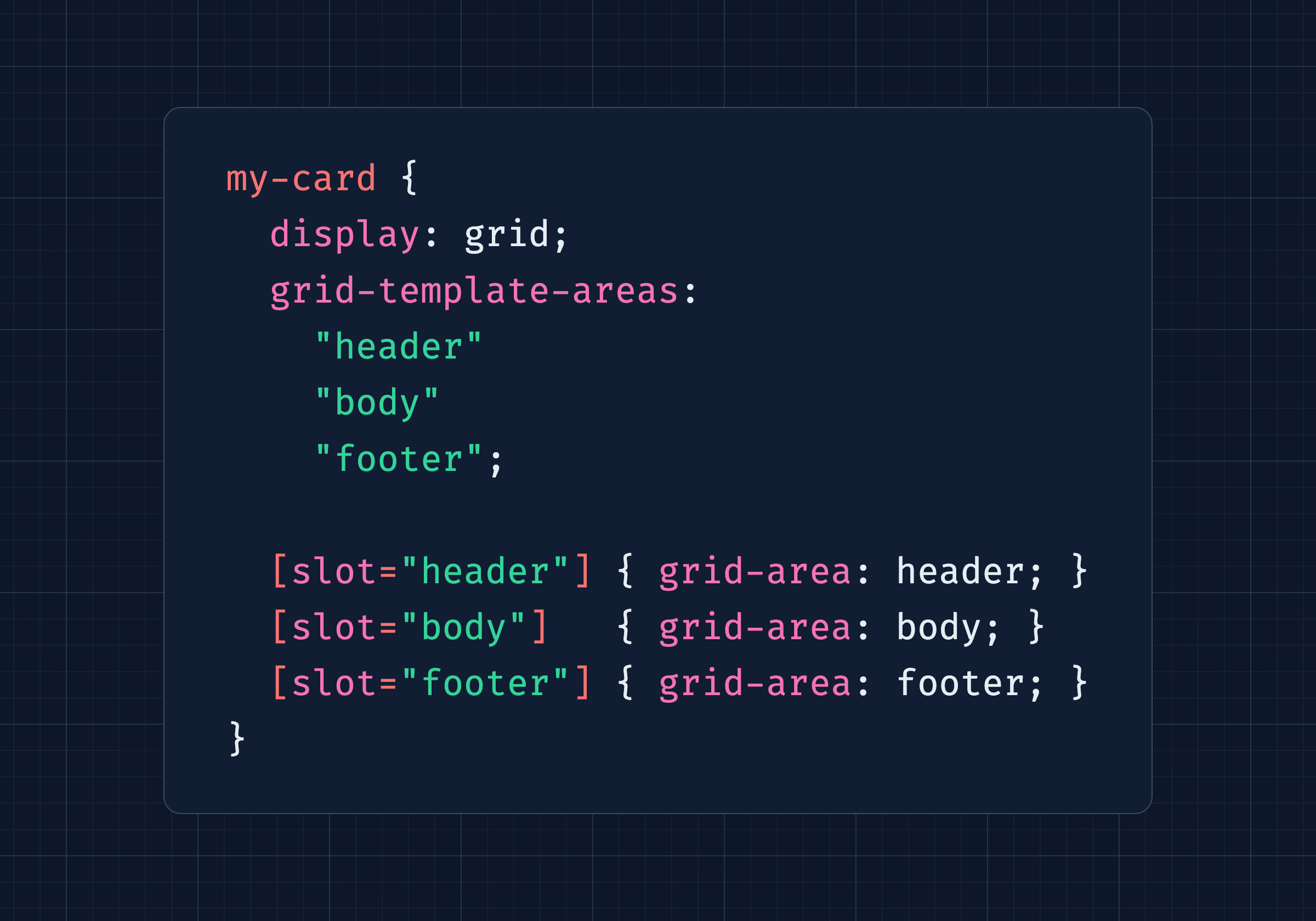
I have mixed feelings about Burton's CSS-only approach to custom elements. But the way he uses slots is very smart! What's your take?

Style with custom elements

Random MDN – importmap

From the unlimited MDN knowledge archive...

Ollie discussed the need for build tools in 2026 and I'm still amazed that importmap is widely baseline available these days.

Import

TIL – Escape CSS selectors in JavaScript

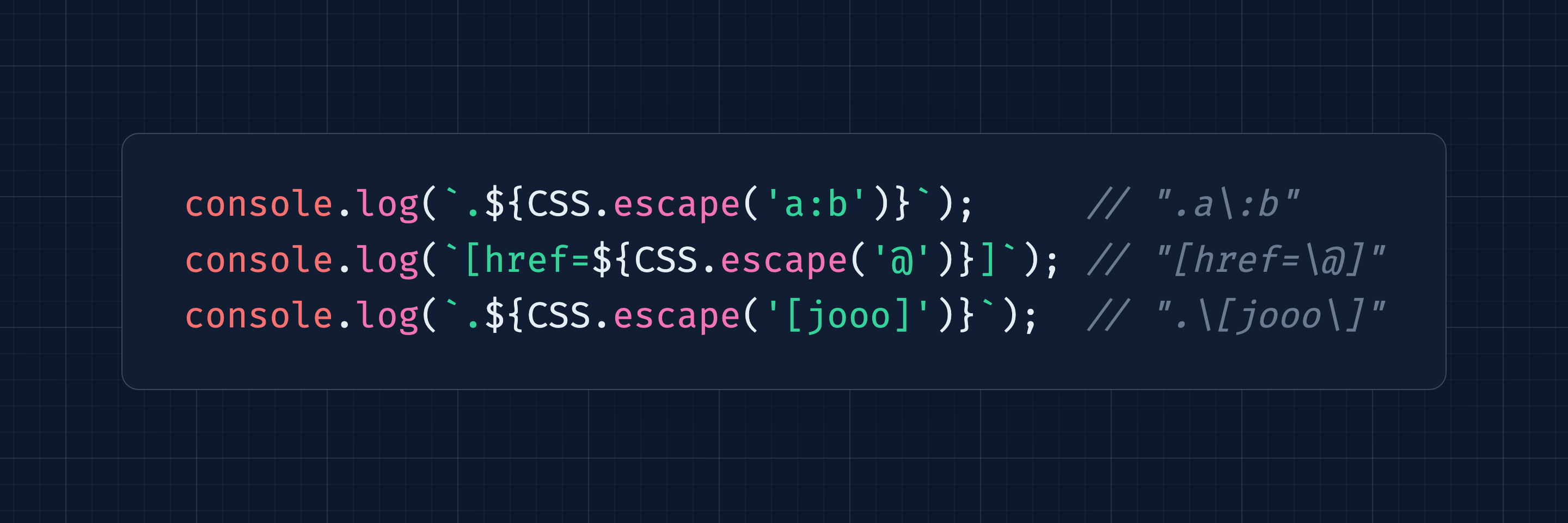
Here's a funky learning from a couple of years ago: do you know that there's a CSS namespace in JavaScript that includes a method to escape CSS selectors? Why?

I explored some use cases on the blog.

Escape

Find more short web development learnings in my "Today I learned" section.

New on the baseline

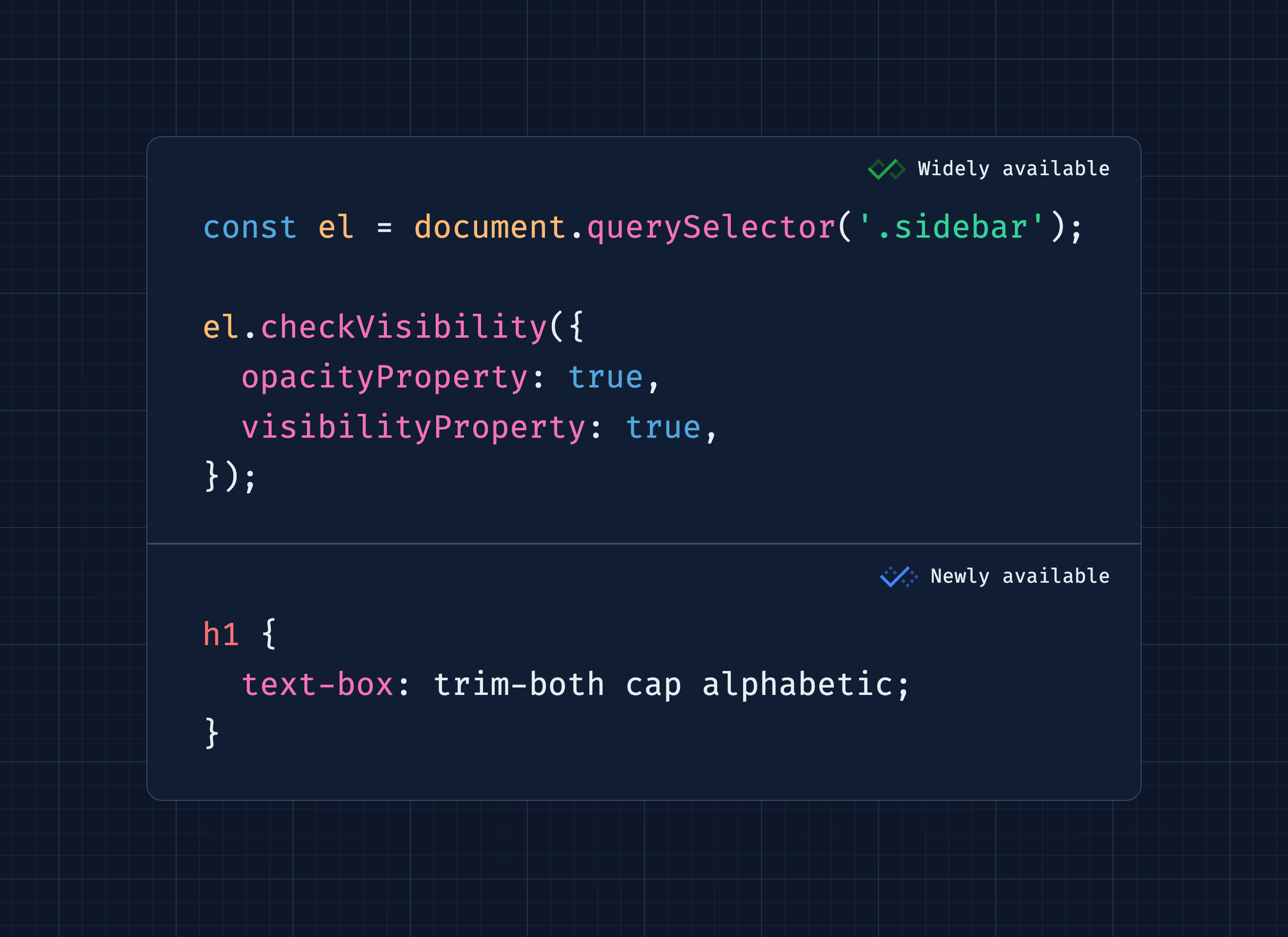
With Firefox 154 the new text-box CSS shorthand entered baseline newly available. If you want to control the size of text boxes and get rid of all this font-specific white space, you should check it out. It was about time...

And on the front of new widely available web features: do you know that the checkVisibility() method is a thing? Now you do, and you can use it safely everywhere!

Three valuable projects to have a look at

A new Tiny Helper

Now that's cool! You might have seen these images that are "whiter than white" in Chromium or Safari. This effect is based on some fancy HDR image tricks that I shared in Web Weekly 190. If you want to make your logos pop, too, here's a quick website to do so!

Brighten your day

Find more single-purpose online tools on tiny-helpers.dev.

Thought of the week

My list of good quotes keeps being dominated by AI things because it's the stickiest topic ever. I promise there won't be an AI quote next week, but this one is just sooooooo true and worth pointing out anytime.

The further away a topic is from your expertise, the smarter an AI will sound.

Did you learn something from this issue?

❤️ If so, join 58 other Web Weekly supporters and give back with a small monthly donation on Patreon or GitHub Sponsors.

This is all, friends!

Loved this email? Hated this email? I want to hear about it!

If you think something needs improvement or something sparked some joy, reply to this email because I want to know more!

And with that, take care of yourself - mentally, physically, and emotionally.

I'll see you next week! 👋


Reply to Stefan
  •  

Many Agents, Many Views

In today's AI-powered software, you manage agents, they manage more agents, and those agents manage even more agents. Chat threads break with that scale. We need to know what agents are planning, what they've already done, and how best to steer them. In other words we need different ways of seeing things.

When most people think about staying on top of agent activity, they jump to management views: an inbox like those found in Slack and email; a dashboard like those found in monitoring apps. Effectively these answer the question "what are my agents doing right now?"

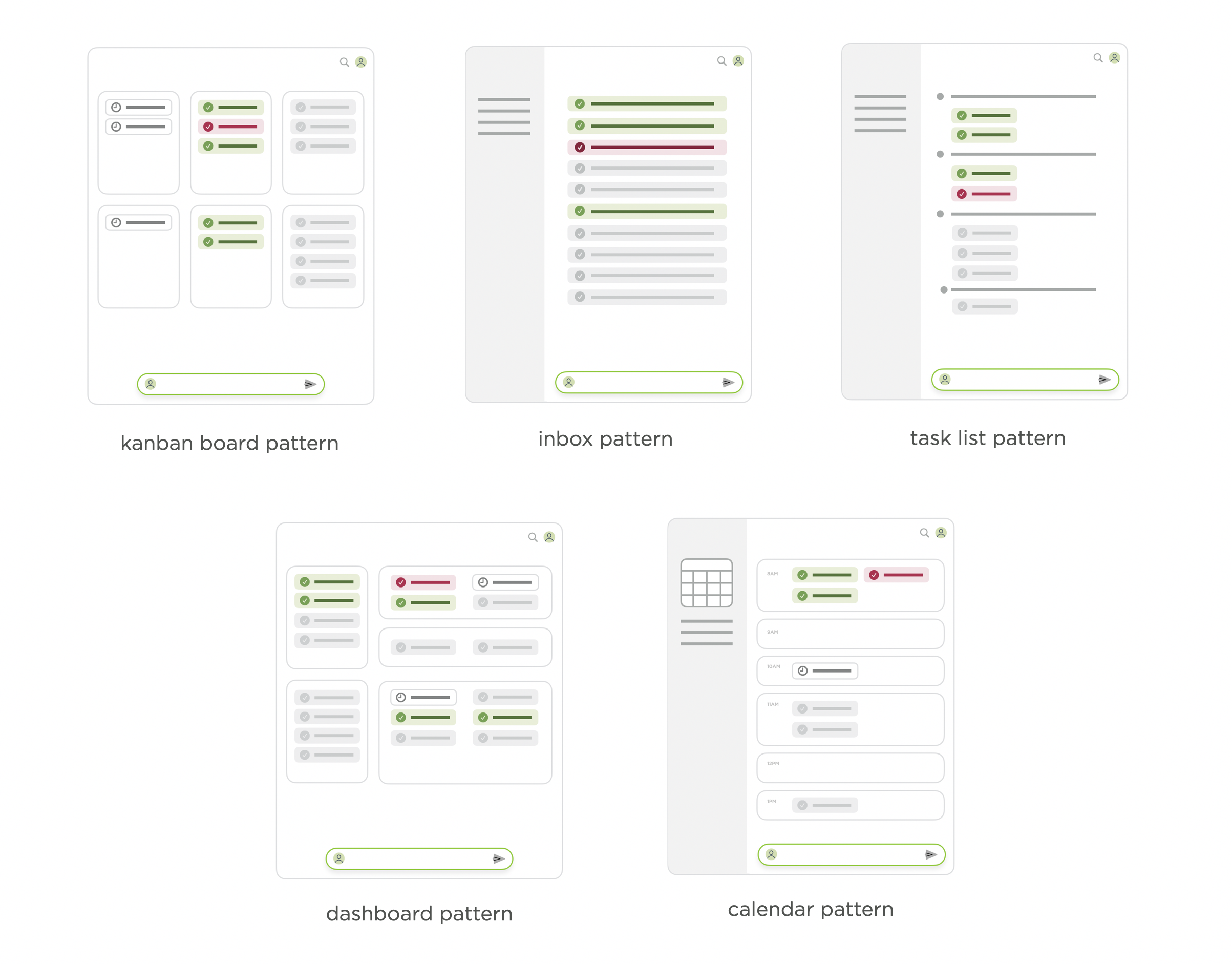
I took a look at inboxes, Kanban boards, task lists, dashboards, and calendars in a post last year about agent management interface patterns. But while these kinds of agent views currently get all the attention, more specific and dynamic views may actually be more useful.

agent management interface patterns, like inbox, calendar task, list, dashboard

That's why in Intent, our large scale agent coordination tool for developers, we've built in multiple ways to see what's going on. Intent lets you create any number of documents (we call them notes) when working on a task, so you can have the specific views you need when you need them. A few examples:

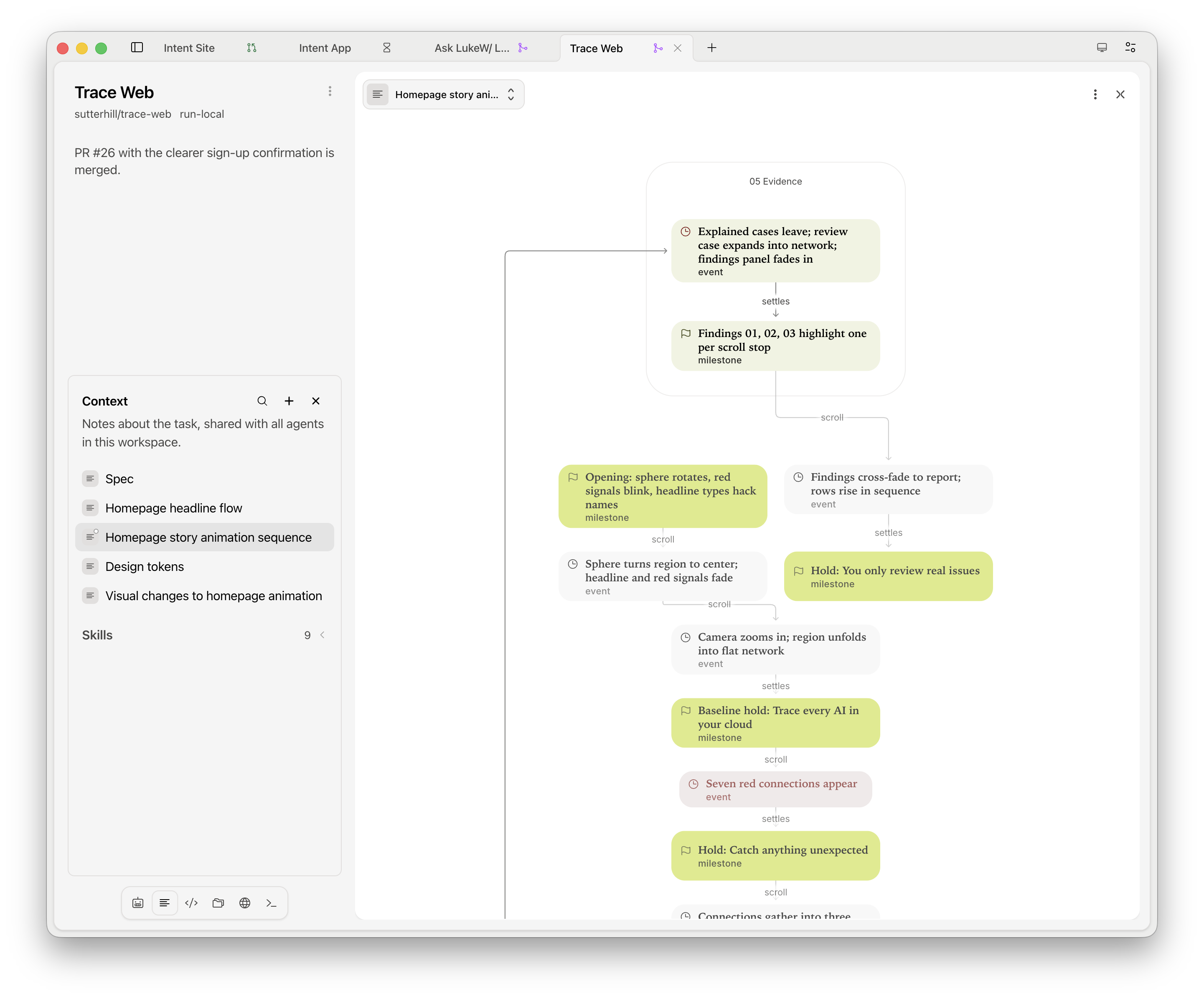
Agents can draw architecture maps, flowcharts, sequence diagrams, and state machines inside notes and chats so you know what they are planning to do, and how, before spending the tokens.

diagram views of agent plans in Intent

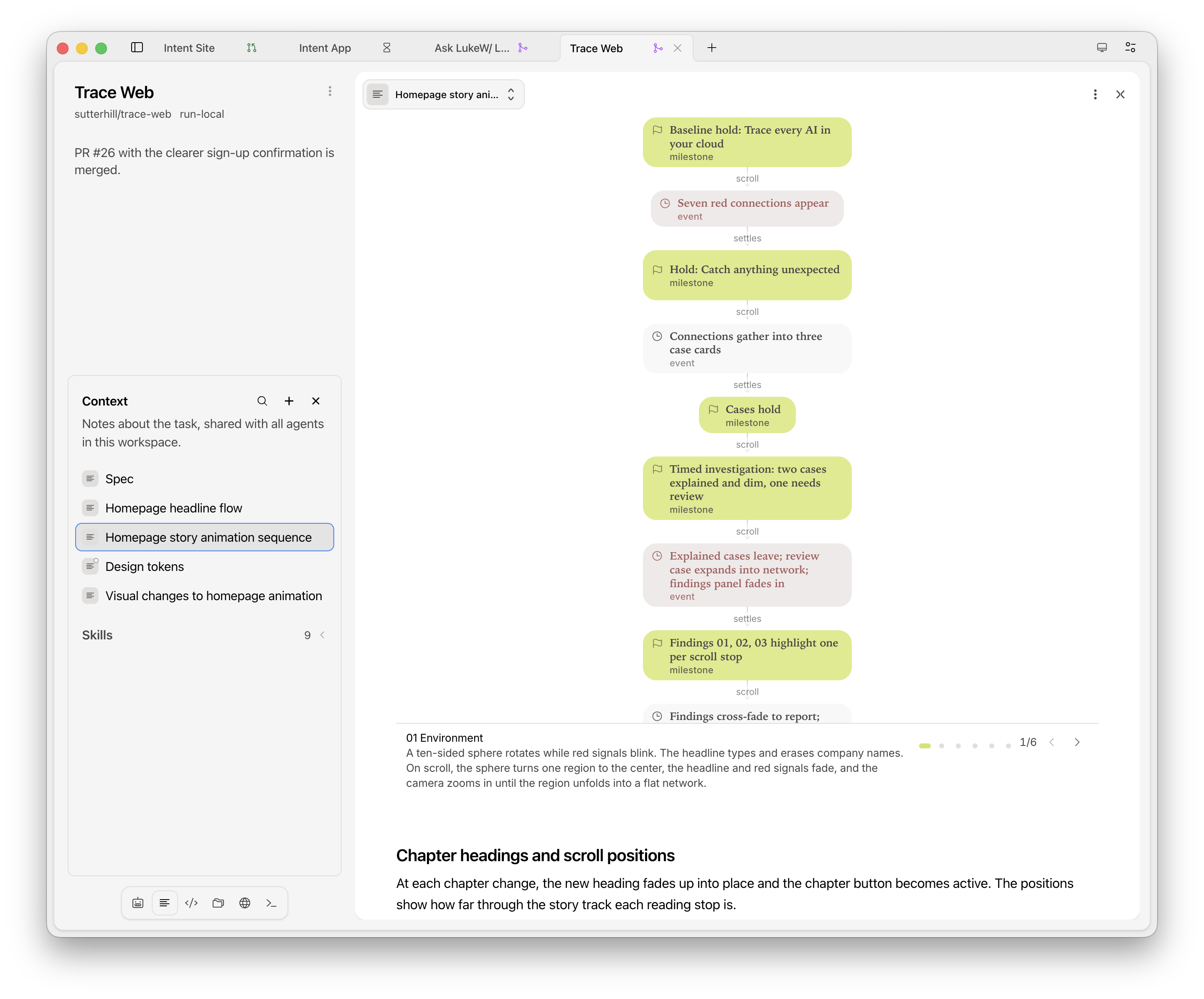
Stepped walk-throughs move you through a diagram one stage at a time, each with a short explanation and the relevant parts highlighted. This not only makes plans easier to follow but also helps you quickly understand the current state of things. Boxes that reference files or notes open them when you click so can go deeper if needed.

step by step diagram views of agent plans in Intent

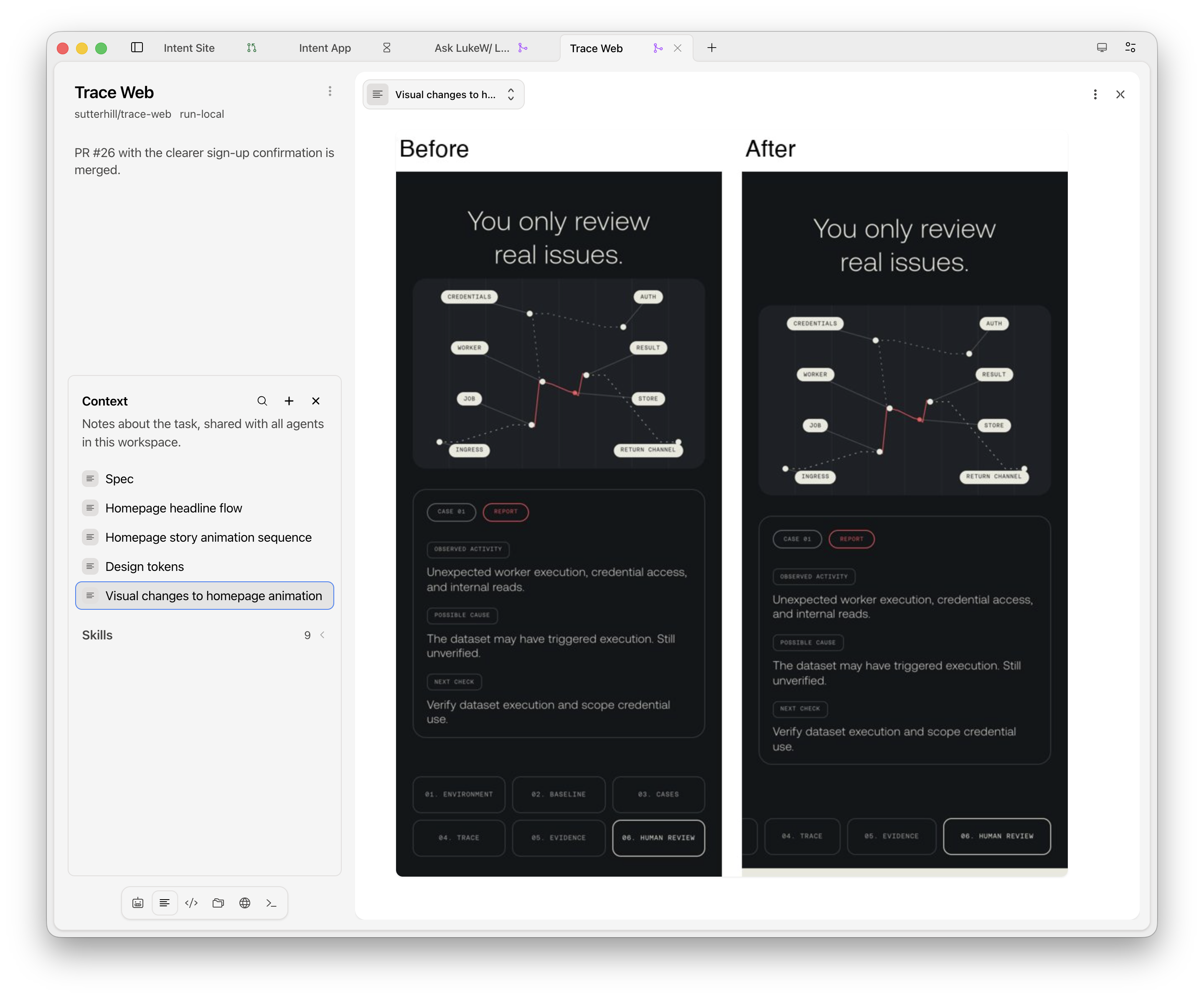
Agents can take before and after screenshots of their UI changes and place them side by side in a note letting you judge results without reading any code. These notes can update with each change or stick around as a historical record. Agents in Intent can also pin a screenshot to show progress at a glance.

Visual reviews of ancient changes in Intent

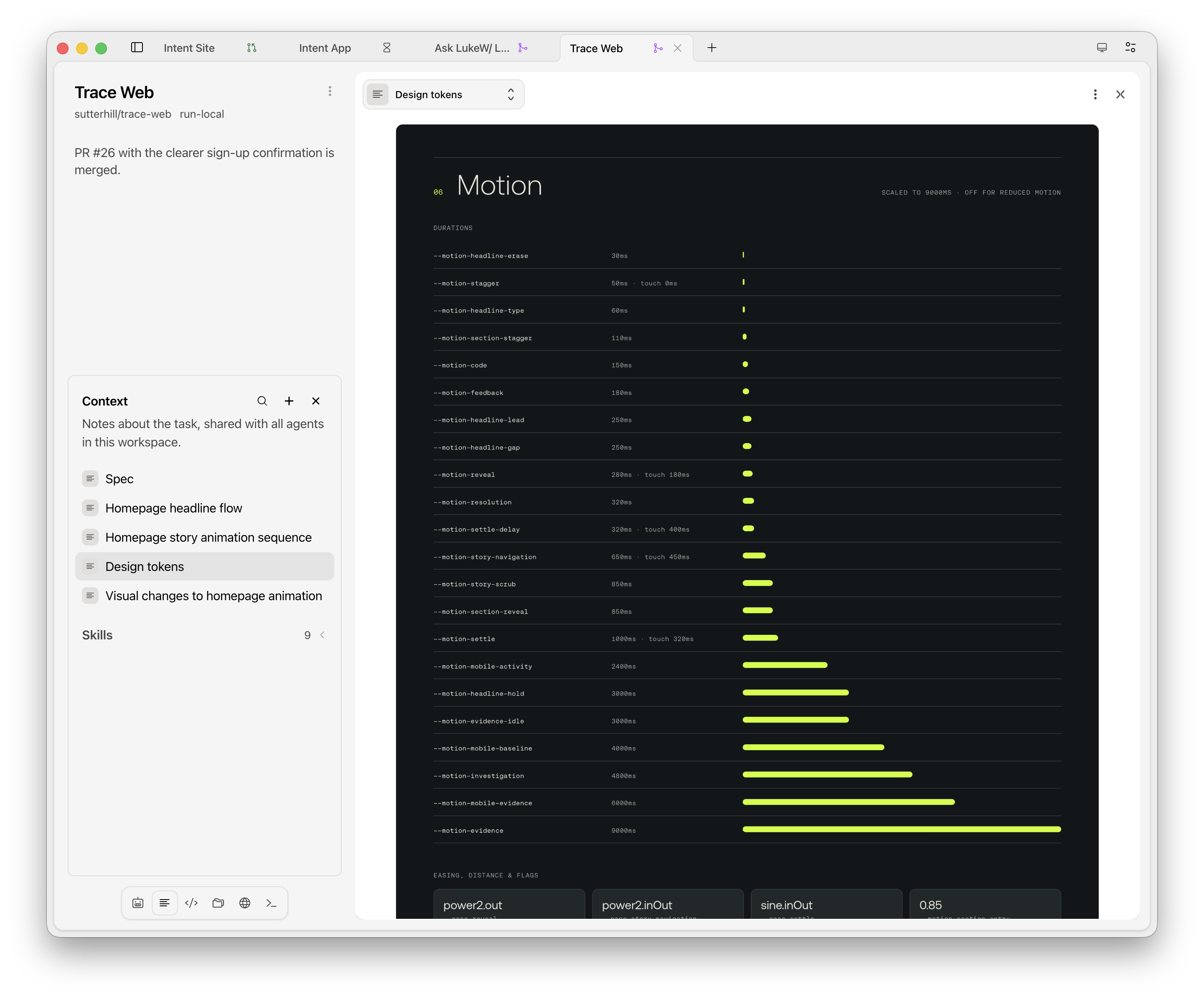
A app or website's design system can also be viewed as a note: colors, type styles, spacing, corner rounding, animation timings, and components with their variants, all in one place. Keeping a view like this open while you work makes "which padding?" one glance away. Agents read the same notes, so their UI work lines up with your references.

dynamic design system views in Intent

Of course, lots of views aren't much help if you can't set them up in a way that's useful. Every panel in Intent can hold a stack of agents, notes, files, terminals, and browser tabs. Drag things between panels, drop one on an edge to split off a new panel, and zoom any panel to full screen if you need focus.

Yes, chat still has a place for kicking off, moving along, and redirecting work. But as agents keep multiplying, a configurable workspace of useful views goes a long way toward steerings thing toward the outcomes you want.

  •  
❌