❌

Vue lecture

State of HTML 2025 now open!

tl;dr: State of HTML 2025 survey is now open! Take it now
State of HTML 2025
Mamma mia, here we go again!

About two weeks ago, I announced that I was back leading this year’s State of HTML 2025 survey, after a one year hiatus. We are grateful for all the suggestions that poured in, they were immensely helpful in shaping the survey. After two weeks of hard work from a small team spanning three continents, we are finally ready to launch!

I would urge each and every one of you that works with the web platform to fill out this survey. It’s a unique opportunity to have your voice heard in the browser vendors’ decision-making process. Survey results are used by browsers to prioritize roadmaps — the reason Google is funding this. The results from State of … surveys directly feed into prioritization for next year’s Interop project.

Time spent thoughtfully filling them out is an investment that can come back to you tenfold in the form of seeing features you care about implemented, browser incompatibilities being prioritized, and gaps in the platform being addressed. In addition to browsers, several standards groups are also using the results for prioritization and decision-making.

Additionally, you get to learn about new and upcoming features you may have missed, and get a personalized, sharable score at the end to see how you compare to other respondents!

Take State of HTML 2025 Survey

While the survey will be open for about a month, responses entered within the first two weeks (until end of July) will have a much higher impact on the Web, as preliminary data will be directly used to inform Interop 2026.

Acknowledgements

I would like to thank the following people for their help in fleshing out the survey:

  • Sacha Greif for actually implementing the survey and tirelessly discussing my ideas
  • My apprentice Dmitry Sharabin for various fixes and improvements
  • My Google contacts, Philip Jägenstedt and Kadir Topal for making my involvement possible
  • And everyone who responded to my earlier call for suggestions — these were invaluable in shaping the survey, and I wish I could include them all!

FAQ

What’s new this year?

We spent a lot of time thinking about which features we are asking about and why. As a result, we added 35 new features, and removed 18 existing ones to make room. This is probably one of the hardest parts of the process, as we had to make some tough decisions.

We are also using the Web Components section to pilot a new format for pain points questions, consisting of a multiple choice question with common pain points, followed by the usual free form text list:
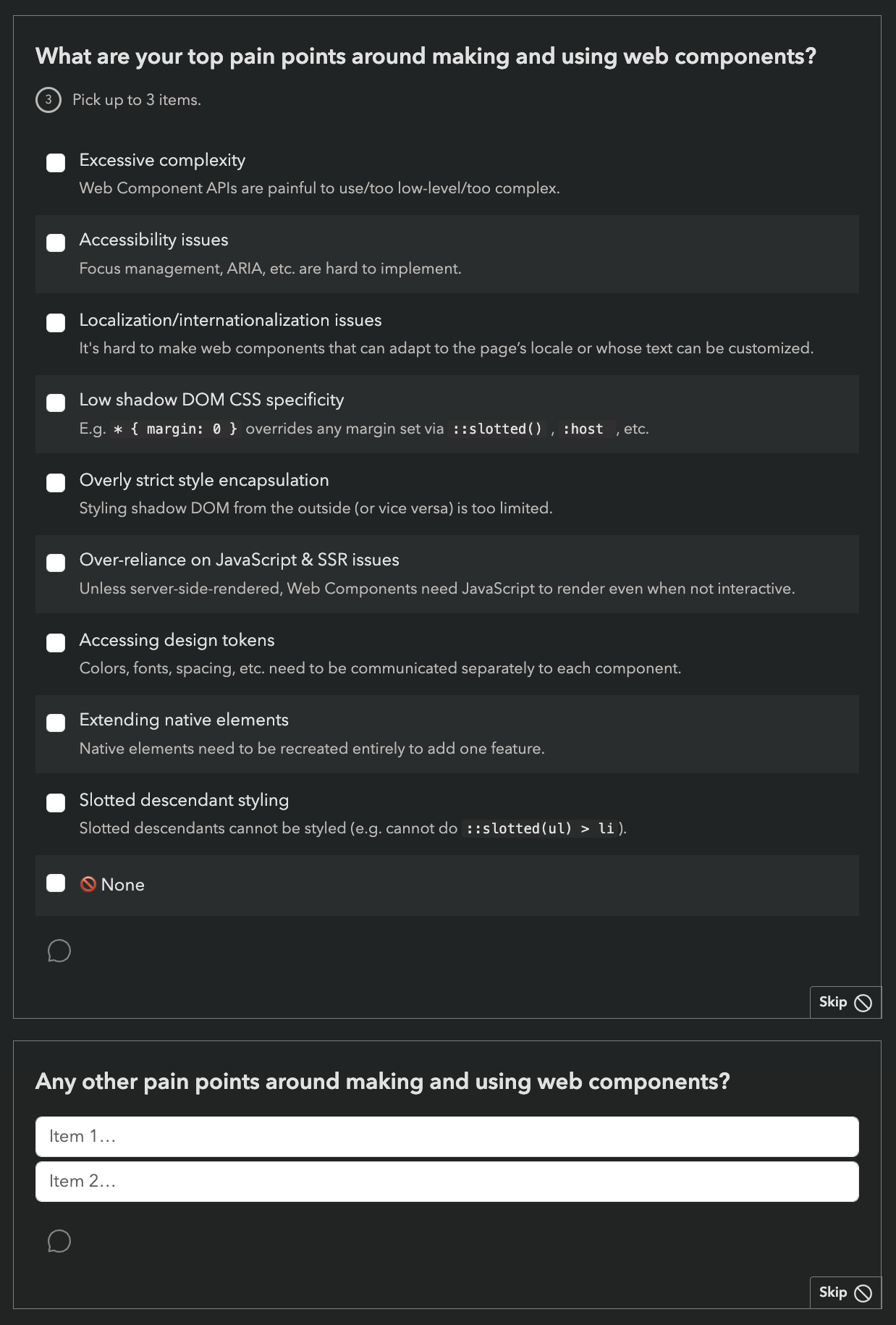
Screenshot showing the new pain points question format

While this increases the number of questions, we are hoping it will reduce survey fatigue by allowing participants to skip the freeform question more frequently (or spend less time on it) if most of their pain points have already been covered by the multiple choice question.

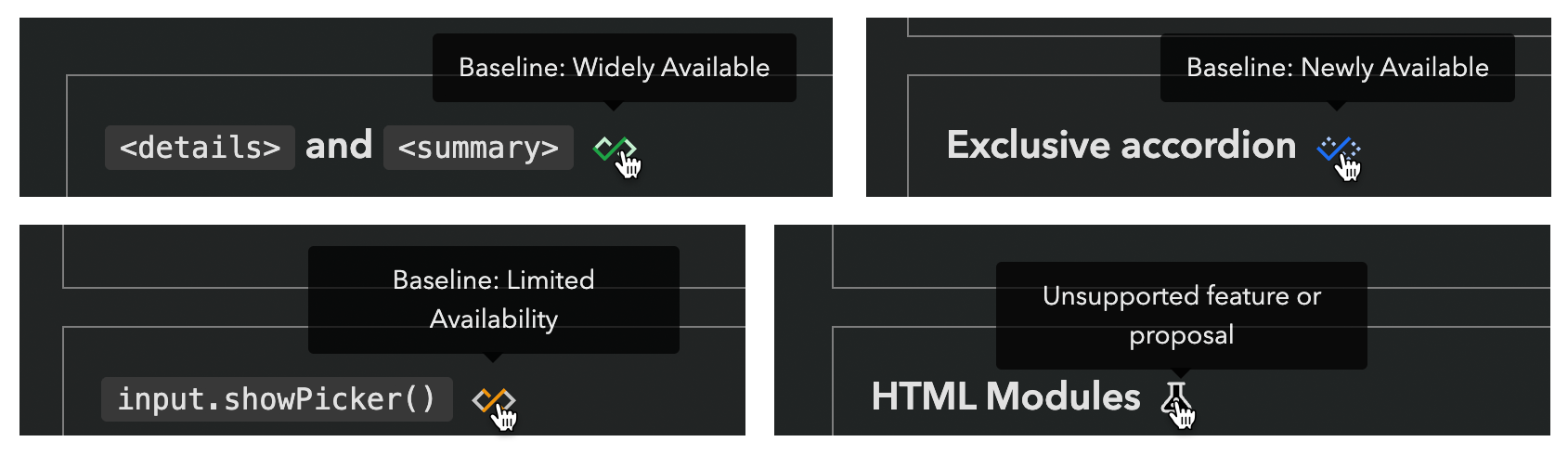
Last but not least, we introduced browser support icons for each feature, per popular request:
Can I edit my responses?

Absolutely! Do not worry about filling it out perfectly in one go. If you create an account, you can edit your responses for the whole period the survey is open, and even fill it out across multiple devices, e.g. start on your phone, then fill out some on your desktop, etc. Even if you’re filling it out anonymously, you can still edit responses on your device for some time, so you can have it open in a browser tab and revisit it periodically.

Why are there JS questions in an HTML survey?

This question comes up a lot every year.

For the same reason there are JS APIs in the HTML standard: many JS APIs are intrinsically related to HTML. We mainly included JS APIs that are in some way related to HTML, such as:

  • APIs used to manipulate HTML dynamically (DOM, interactivity, etc.)
  • Web Components APIs, used to create custom HTML elements
  • PWA features, including APIs used to access underlying system capabilities (OS capabilities, device capabilities, etc.)

The only two exceptions to this are two Intl APIs, which were mainly included because we wanted to get participants thinking about any localization/internationalization pain points they may have.

However, if you don’t write any JS, we absolutely still want to hear from you! In fact, I would encourage you even more strongly to fill out the survey, as people who don’t write JS are very underrepresented in these surveys. All questions are optional, so you can just skip any JS-related questions.

There is also a question at the end, where you can select that you only write HTML/CSS:
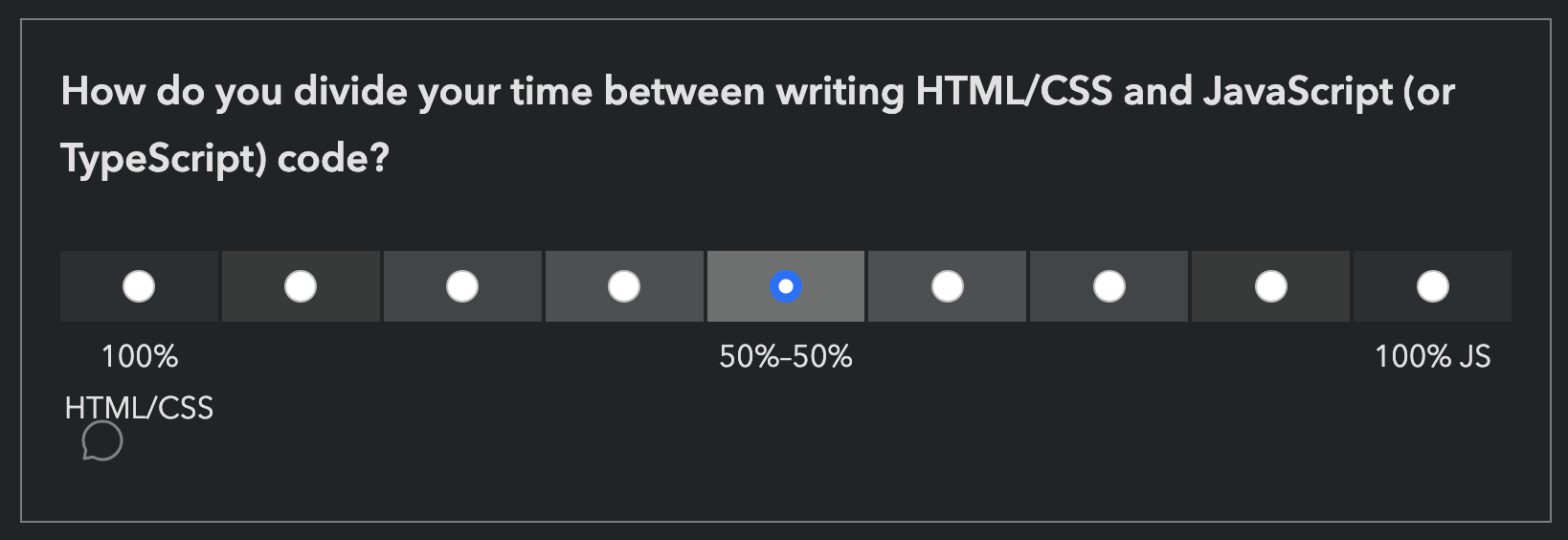
Question about HTML/CSS and JS balance

Why are some features included that are early stage proposals with no browser support?

While proposals with no browser support are not good candidates for immediate prioritization by browsers, their context chips give browser vendors and standards groups invaluable insight into what matters to developers, which also drives prioritization decisions.

However, we heard you loud and clear: when mature and early stage features are mixed together, you felt bait-and-switched. So this year, we are including icons to summarize browser support of each feature we ask about:

We are hoping this will also help prevent cases where participants confuse a new feature they have never heard of, with a more established feature they are familiar with.

Is the survey only available in English?

Absolutely not! Localization has been an integral part of these surveys since the beginning. Fun fact: None of the people working on these surveys is a native English speaker.
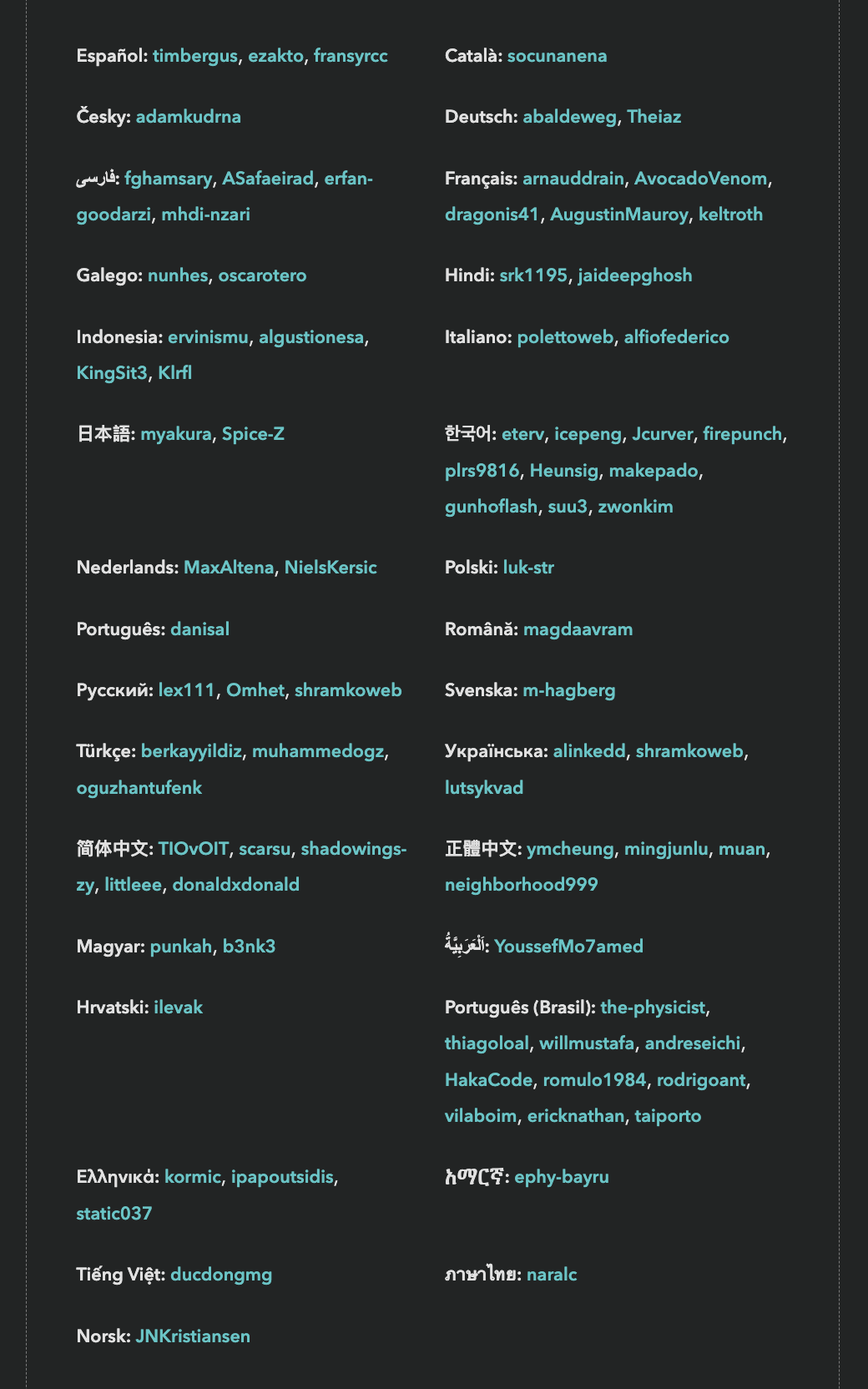
Screenshot showing dozens of languages and their contributors

State of HTML 2024 had translations for 31 languages.

However, since translations are a community effort, they are not necessarily complete, especially in the beginning. If you are a native speaker of a language that is not yet complete, please consider helping out!

I found a bug, what should I do?

Please file an issue so we can fix it!

  •  

Influence the State of HTML 2025 Survey!

State of HTML 2025
Mamma mia, here we go again!

Two years ago, I was funded by Google to design the inaugural State of HTML survey. While I had led State of … surveys before (also graciously sponsored by Google), that was by far the most intense, as 0→1 projects often are. In addition to the research, content, and analysis work that goes into every State of … survey, the unique challenges it presented were a forcing function for finally tackling some longstanding UX issues with these surveys. As a result, we pioneered new survey interaction UIs, and validated them via usability testing. This work did not just affect State of HTML, but had ripple effects on all subsequent State of … surveys.

The results made it all worth it. Turnout was the highest ever for a new Devographics 1 survey: 21 thousand participants, which remains a record high for State of HTML. The survey findings heavily influenced Interop 2024 (hello Popover API and Declarative Shadow DOM!) and helped prioritize several other initiatives, such as stylable selects. Despite lower 2024 participation, the survey still significantly influenced Interop 2025; notably, View transitions was added after being prominent in the survey for two years in a row.

This is the goal of these surveys: to drive meaningful change in the web platform. Sure, getting a shareable score about what you know and seeing how you compare to the rest of the industry is fun, but the reason browser vendors pour thousands of dollars into funding these surveys is because they provide unique vendor-neutral insights into developer pain points and priorities, which helps them make better decisions about what to work on. And this ultimately helps you: by getting your voice heard, you can directly influence the tools you work with. It’s a win-win: developers get better tools, and browser vendors get better roadmaps.

State of HTML 2025

Last year, I was too busy to take the lead again. Wrapping up my PhD and starting a new job immediately after, there was no time to breathe, let alone lead a survey. I’m happy to be returning to it this year, but my joy is bittersweet.

When I was first asked to lead this year’s survey a few months ago, I was still too busy to take it on. Someone else from the community accepted the role — someone incredibly knowledgeable and talented who would have done a fantastic job. But they live in the Middle East, and as the war escalated, their safety and their family’s well-being were directly impacted. Understandably, leading a developer survey became the least of their concerns. In the meantime, I made a few decisions that opened up some availability, and I was able to step in at the last minute. It’s a sobering reminder that events which feel far away can hit close to home — shaping not just headlines, but the work and lives of people we know.

Web Platform Features at the verge of Interop

A big part of these surveys is “feature questions”: respondents are presented with a series of web platform features, and asked about their familiarity and sentiment towards them. At the end, they get a score based on how many they were familiar with that they can share with others, and browser vendors and standards groups get signal on which upcoming features to prioritize or improve.

You can see which features were included in last year’s survey here or in 2 the table below.

State of HTML Features
Feature 2023 2024
<datalist> ✅ ✅
autocomplete attribute ✅ ✅
HTML Media Capture ✅ ✅
input.showPicker() ✅ ✅
FormData API ✅ ✅
<selectlist> ✅
contenteditable="plaintext-only" ✅ ✅
<dialog> ✅ ✅
<details> and <summary> ✅ ✅
Exclusive Accordion ✅ ✅
Popover API ✅ ✅
inert attribute ✅ ✅
Lazy loading ✅ ✅
srcset and sizes attributes ✅ ✅
Resource Hints ✅ ✅
Content-Security Policy (CSP) ✅ ✅
fetchpriority attribute ✅ ✅
blocking="render" ✅ ✅
<model> for AR/VR/3D content ✅ ✅
controlslist attribute ✅ ✅
<template> ✅ ✅
Using Custom Elements ✅ ✅
Defining Custom Elements ✅ ✅
Scoped Custom Element Registries ✅ ✅
Shadow DOM ✅ ✅
Declarative Shadow DOM ✅ ✅
Named slot assignment ✅ ✅
Imperative slot assignment ✅ ✅
ElementInternals API ✅ ✅
DOM Parts ✅ ✅
HTML Modules ✅ ✅
Landmark elements ✅ ✅
tabindex attribute ✅ ✅
focusgroup attribute ✅ ✅
<search> ✅ ✅
File System Access API ✅ ✅
Badging API ✅ ✅
Web Share API ✅ ✅
Launch Handler API ✅ ✅
File Handling API ✅ ✅
Window Controls Overlay API ✅ ✅
Isolated Web Apps ✅ ✅
Customizable Select ✅
EditContext ✅
caretPositionFromPoint ✅
Clipboard API ✅
CSS Custom Highlight API ✅
setHtmlUnsafe() ✅
parseHtmlUnsafe() ✅
Intl.Segmenter API ✅

I believe that co-designing these surveys with the community is the best way to avoid blind spots. While the timeline is tighter than usual this year (the survey is launching later this month!), there is still a little time to ask:

👉🏼 Which upcoming HTML features or Web APIs are currently on your radar? 👈🏼

What does “on your radar” mean? Features you’re excited about and would love to see progress on.

Why focus on upcoming features? The best candidates for these surveys are features that are mature enough to be fleshed out (at least a mature proposal, ideally a spec and WPT tests), but not so mature they have already been implemented in every browser. These are the features for which a survey such as this can drive meaningful impact.

If it’s so early for a feature that it’s not yet fleshed out, it’s hard to make progress via initiatives such as Interop. Interest is still useful signal to help prioritize work on fleshing it out, but it’s a bit of a longer game. And for features that are already implemented everywhere, the only thing that can improve things further is passage of time — a problem for which I unfortunately have no solution (yet).

Obviously we’re looking at all the usual suspects already, and initiatives such as webstatus.dev and Web platform features explorer provide a treasure trove of data which makes this task infinitely easier than it used to be. But this kind of preliminary signal is also useful for filtering and prioritization — to give you a sense, my list of candidate new features to ask about already has 57 items (!). Given that State of HTML 2024 asked about 49 features, that will need some very heavy pruning.

While the title is “State of HTML”, anything that wouldn’t fit better in State of CSS or State of JS is fair game. This includes topics such as accessibility, browser APIs, web components, templating, static site generation, media formats, and more. This may seem strange at first, but is no different than how the HTML specification itself covers a lot more than just HTML markup.

Any way to reach me works fine. You can post in the comments here (preferred), or reply on BlueSky, Mastodon, Threads, LinkedIn, or Twitter. Make sure to check the other replies first, and 👍 those with features you care about. Looking forward to your ideas and comments!


  1. Devographics is the company behind “State of …” surveys. ↩︎

  2. As an Easter egg, this widget is just a <details> element with custom CSS. Inspect it to see how it works! It works best in Chrome and Safari, as they fully support ::details-content. Chrome also supports calc-size(), which enables a nice animation, while the interaction in Safari is more abrupt. In terms of a11y, the summary gets spoken out as a regular <summary> element, with “Show more” or “Show less” at the end of its content. It seems ok-ish to me, but I’d love to hear from those with more expertise in this area. ↩︎

  •  
❌