Google lance sa troisième Core Update de 2026, la première depuis l'arrivée d'AI Overviews et de l'AI Mode en France. Le déploiement peut durer jusqu'à deux semaines.
Rédigé par un ingénieur d’Anthropic, un brouillon de norme IETF reçoit le soutien de Google, OpenAI et Microsoft. Leur déploiement s’étale jusqu’en 2027 selon les acteurs.
Avant son intervention à Intelligence Marketing Day Lyon, Karine Abbou, stratège en contenu et spécialiste de l’AI Search, explique à BDM quelles leçons les marques françaises peuvent tirer de son expérience des Aperçus IA aux États-Unis.
Google déploie plusieurs mises à jour pour rendre les sources plus cliquables dans ses réponses IA. Des ajustements qui interviennent alors que les éditeurs voient ces fonctionnalités capter leur trafic.
Google Ads déploie deux réglages optionnels pour hiérarchiser les canaux de diffusion et limiter la part du budget quotidien consacrée aux moins prioritaires.
Anthropic aborde Google Workspace par les deux bouts, avec une extension qui travaille dans le fichier ouvert et des connecteurs qui pilotent Docs, Sheets et Slides depuis le chat.
À partir du 9 octobre, les comptes Gemini sans abonnement n'auront plus accès qu'au modèle Flash-Lite. Les abonnés AI Plus perdent de leur côté l'accès au modèle Pro.
J'sais pas si vous avez vu, mais Google vient de mettre en ligne une
page d'aide
qui explique comment déverrouiller le bootloader d'un Googlebook ! Je pensais pas écrire ça un jour. Les Googlebook, ce sont des portables mi-Android mi-ChromeOS qui sont commercialisé en France depuis hier, pour la modique somme de 1 099 euros.
Perso, je ne vois toujours pas l'intérêt d'acheter ce truc...
Je vois vraiment ça comme un PC bridé, ou un Android avec un gros clavier et je pense que c'est bien se compliquer la vie que d'acheter ce truc plutôt que de prendre un vrai PC ou un petit Macbook. Sauf, évidemment, si on est une personne qui n'a pas envie de s'emmerder la vie à apprendre quoique ce soit de nouveau, et qu'on veut juste aller sur le site de La Poste consulter le prix des timbres, ou faire un Mappy pour savoir comment se rendre au bureau de vote le plus proche.
Mais grâce à cette "possibilité" de déverrouillage, John Wu, le créateur de
Magisk
, a annoncé travailler sur une version de Magisk pour ces machines.
Pour déverrouiller le Googlebook, vous devez donc activer le déverrouillage OEM dans les options pour développeurs, vous passez ensuite en mode récupération avec Échap + F2 puis le bouton d'alimentation, et l'option "Unlock bootloader" se trouvera dans les options avancées. Google précise également que ça efface toutes les données, que ça désactive la sécurité de l'appareil, que les modifications ne sont pas supportées et que la garantie peut y passer.
Et côté root,
Wu
a posté dans la nuit du 4 au 5 octobre "Magisk on Googlebook", en promettant du code et des instructions dans les jours suivants.
Son profil indique d'ailleurs qu'il bosse sur Android chez Google, et il voit dans le Googlebook la plateforme idéale pour bidouiller ! En effet, sur un téléphone rooté, les applis bancaires et de paiement cassent, alors qu'ici vous pouvez y accédez depuis le navigateur, comme sur n'importe quel portable.
Le blocage, selon lui, vient du mode utilisateur du système. Googlebook OS fait tourner Android en Headless System User Mode, c'est-à-dire que l'utilisateur 0 reste en arrière-plan et que vous travaillez sur un compte secondaire, alors que Magisk part du principe qu'il n'y a qu'un utilisateur principal. Le support de ce mode a été fusionné dans la branche principale du dépôt dans la nuit du 5 au 6 octobre, par contre, aucun commit ne cite pour le moment le Googlebook.
Reste que rien n'est livré officiellement encore... La dernière version stable de Magisk, la 30.7, date de février et donc aucune version stable ne contient ce code. Sans oublier que pour flasher la machine, Wu explique que le fastboot par USB ne marche pas sans câbles spécialisés. Cependant, il dit avoir trouvé une solution, sans la détailler.
Donc voilà... aujourd'hui, le root d'un Googlebook n'a aucune méthode publique, et le déverrouiller maintenant en suivant la technique de Google, revient à couper la sécurité de la machine sans rien pouvoir en faire de plus côté root. Donc autant attendre les instructions de Wu pour Magisk qui devraient arriver dans les jours qui viennent.
À l'été 2024, la Corée du Sud découvre que des centaines d'écoles sont visées par des deepfakes sexuels fabriqués sur Telegram. Face à un État défaillant et à des plateformes intouchables, ce sont les femmes, victimes et militantes, qui ont dû devenir les enquêtrices.
Accessible pour l'instant via le programme Fairwind, Gemini 4 Argon sera ensuite proposé en priorité aux clients payants de l'API et aux abonnés Google AI Ultra.
Les recherches lancées depuis l'appareil photo d'un smartphone ou une capture d'écran ne se confondent plus avec les requêtes textuelles dans la Search Console.
Comme en écho à l'alerte récemment lancée par le cabinet Gartner vis-à-vis de la dégradation de l'impact environnemental de l'univers « digital », en particulier avec le développement de l'intelligence artificielle, les rapports que viennent de publier Google et Amazon pour l'année 2025 viennent confirmer les estimations les plus pessimistes.
Alors que les deux acteurs ont déclaré leur engagement à atteindre la neutralité carbone d'ici à quelques années (aussi futile soit ce genre de promesse) et après des progrès sensibles réalisés dans un premier temps, leurs derniers bilans en date illustrent la dérive en cours, laissant planer un doute de plus en plus lourd sur leurs véritables trajectoires. Sans parler d'autres indicateurs (tels que la consommation d'eau), leurs émissions de gaz à effet de serre (GES) ont ainsi progressé de 16 à 18% en un an.
En outre, si cette croissance paraît inquiétante en elle-même, elle ne reflète probablement pas entièrement la réalité à venir. En prenant principalement l'exemple de Google, la majeure partie de l'augmentation enregistrée est imputable à la construction et l'aménagement de centres de production informatique supplémentaires, requis afin de faire face à la demande de l'IA. Le béton des bâtiments et les composants électroniques des serveurs figurent parmi les principales sources (indirectes) de GES.
La consommation électrique de ces installations n'interviendrait donc pas dans la comptabilité ? En réalité, il s'agit, dans une large mesure, d'une illusion. Google admet un surcroît de 37% par rapport à 2024… mais il ne se traduit que par un petit +2% d'émissions de GES. Cette apparence vertueuse est justifiée par le recours à des énergies renouvelables (qui ont tout de même aussi un impact)… et de la compensation sur les marchés du carbone, ce qui n'est qu'un pis-aller (sinon une mascarade).
Mais la situation va indubitablement continuer à s'aggraver car, entre les politiques désastreuses de l'administration américaine actuelle et les limites techniques de l'industrie de l'énergie, les nouveaux centres de données sont de plus en plus fréquemment alimentés par une électricité carbonée (en général à base de gaz naturel). Avec leur mise en service, les bilans environnementaux vont certainement prendre un coup de massue qu'aucune compensation ne pourra jamais dissimuler.
Les géants de la Silicon Valley veulent maintenant nous faire croire que l'IA, qui est responsable de l'essentiel de la catastrophe qui se profile, serait aussi sa solution. Mais ils n'ont aucune démonstration concrète à offrir et se contentent de vagues illustrations peu convaincantes, à l'instar de celles de Google affirmant que quelques-uns de ses produits (dont les thermostats NEST et la navigation routière), qui existaient avant l'IA, permettent d'éviter des millions de tonnes de CO2 rejetées dans l'atmosphère.
En vérité, leurs engagements d'autrefois sont en voie d'être rangés aux oubliettes… et advienne que pourra (à l'humanité). Le cynisme est désormais (à nouveau ?) la seule loi qui règne et le format du rapport environnemental de Google en fournit un aperçu presque caricatural, en consacrant plus de 80% de ses pages à la description de ses initiatives, plus ou moins sérieuses, et de ses ambitions, et en enfouissant soigneusement les données brutes de son diagnostic à la fin du document.
Just in time for Google I/O, the Chrome for Developers site announced Modern Web Guidance (MWG):
Modern Web Guidance is a set of evergreen and expert-vetted skills that guide your AI coding agents across many common use cases to build modern web experiences that are accessible, performant, and secure.
I appreciate this set of LLM skills lists accessibility first, something I feel strongly every MVP (or early preview as Google calls this) must:
Simply, if your MVP does not have accessibility factored in, it is not viable. If you claim accessibility is a core principle but your version 0 does not include it, then it is not a core principle.
Last year I made a straightforward and simple request to Google (that also respects the law in most jurisdictions where Google does business):
Please, if your team cannot explain how the thing satisfies all WCAG Success Criteria at Level AA, then don’t release the thing.
Unfortunately, MWG accessibility doesn’t satisfy. Partly because not every pattern has tailored guidance. For example, you may remember when Google ran at a toast pattern before abandoning it:
Again, the people designing the feature neither understood accessibility nor had consulted anyone who did while they designed it, instead relegating accessibility to the later stages of their design and assuming it could simply be remediated with a modest effort and without any serious redesign or rethink.
I hoped Google also remembered and applied that experience here, making a skill tailored to toasts to avoid another debacle. Nope.
Reopening because this guide needs accessibility guidance in some form as there’s no general toast guidance.
But this is an early preview of what developers can do with MWG. It’s not going to cover every pattern. That would be absurd. So let’s look to a pattern Google decided to showcase at launch via this first example prompt on the page:
Create an accordion-style stats component that smoothly animates on open and close.
I expected a pile of <details name> elements, maybe CSS block-size with a JavaScript fallback, probably a couple placeholder images for generic stats, possibly a well-formed table to accompany them, and of course all of it passing WCAG. This is what Antigravity produced with MWG:
Antigravity with MWG went well beyond the prompt, providing a theme switcher, configuration settings, and plenty of calls to Google fonts. But it failed to do what I asked. The animation doesn’t work in Firefox. This despite the promise of baseline / Baseline support and fallbacks:
Progressive Enhancement & Nuanced Fallbacks: We distinguish between purely additive enhancements (like speculative preloading) which are safe to let older browsers silently ignore, and critical behaviors (like dialog controls or network beacons) where we write highly considered, low-overhead fallbacks.
[…]
Baseline-Aware Integration: We leverage real-time compatibility data from the Baseline project so agents can dynamically adapt to current browser support and any browser support preferences.
This is already worrisome given we know that three years on, Baseline still doesn’t really address baseline support:
The relatively new Web Platform Baseline offering does not track browser support for accessibility features built into the web platform. If you need to understand whether browsers support accessibility features as your own base level set of requirements, for legal or other compliance reasons, then Web Platform Baseline does not represent a baseline.
Let’s ignore the non-DRY code, like duplicated HTML text in the script and stringing out the transition instead of using transition-property. Antigravity with MWG didn’t even create a WCAG-conformant example from its own prompt. I found errors within moments. MWG failed its core promises of creating accessible and performant code. Despite its own explicit guidance.
For the first two of these MWG already had guidance, and the a11y skill just wasn’t picked up. Overall activation aside, this highlights the importance of including contextual a11y information.
[…] [W]e should try to have one guide for each common interactive element summarizing and linking/embedding relevant bits of guidance (e.g. tabs, accordions, drawers, etc). The more scattered the use case guidance is, the less likely it is that agents will actually pick up all the pieces.
And there’s the rub. There’s no way to guarantee you’ll get what you ask for, that you won’t get something else, and that these guides — the entire promise of MWG — will be honored. MWG asks authors to trust MWG when using an LLM to code interfaces. But MWG knows its guidance may be ignored:
LLMs are non-deterministic. Even if we do everything right, there is no guarantee any guideline will be used for any given prompt. Even if the relevant guide is picked up, it may not be read fully. Case in point: As you say, MWG already had guidelines for many of these things!
The underlying code generation technology can’t be trusted to follow the rules and the rules aren’t robust enough to blunt that reality.
If your job requires you to burn tokens to satisfy some manager’s dashboard, then yes, grab the MWD skills files and integrate them into your LLM work. You’ll almost definitely get better output than if you do nothing at all. There are smart people working on this and many of the accessibility rules I saw were on-point.
But that output will be wrong in subtler and more nuanced ways across potentially fatter piles of code with more unrelated output and unwanted dependencies. It will require a more specialized set of skills to identify errors. And those errors will be different every time the code is generated.
So on the side, keep supporting any existing pattern library. If it’s built well, it’s copy-ready code that you can stuff into a project just as quickly as a chatbot could generate it. It’s deterministic, so you get the same code every time. Ideally it’s been vetted, so you don’t need to look for errors. It’s tailored to your context, meaning you don’t need to yank out random style switchers and typefaces (hoping you got all the dependencies).
If your job doesn’t require you to burn tokens, then probably ignore MWG and, by extensions, LLM for code. In case the environmental damage, intellectual property theft, wealth redistribution to the rich, encoded biases, and built-in support of fascism weren’t enough.
Update: 24 June 2026
The Silktide blog has this banger of a quote:
Across the board, [Google Antigravity using Modern Web Guidance] was a deprioritization of accessibility requirements in favor of visual presentation.
I don’t agree Antigravity nor MWG should use APG, which a regular visitor here may know, but the author is correct the APG disclosure pattern is mostly harmless.
But Silktide is right that the, once again, Google built the wrong thing for the wrong people and then proudly shoved it out into the world with no hint of self-awareness.
Hey, Alphabet or Google or Chrome or whomever in that illegal monopoly continues to release things to the web platform that are full of accessibility barriers, I have what I think is a straightforward request.
My Request
Please, if your team cannot explain how the thing satisfies all WCAG Success Criteria at Level AA, then don’t release the thing.
If the thing is a new feature for the web platform (HTML, CSS, ARIA, SVG, etc.), then don’t even propose the thing until you have its WCAG conformance sorted.
Then understand WCAG is the bare minimum, is only table stakes, and does not in itself guarantee the thing is accessible. Which means be prepared for the thing to still contain barriers that must be addressed before it goes any further. Which means you’ll field some questions.
Blowback
I’ll run with two examples lead by Google in the web platform standards world, one older and one recent.
In late 2024, doing an end-run around the HTML spec and the concept of separation of concerns, Google drove carousels in the CSS Working Group. Then accessibility experts got wind of it and weighed in (more than just the once), only to get no traction.
Both of these book-end five years of a consistent experience for me (15 years based on posts linked below). Accessibility experts and disabled users (and the wonderful overlap of both groups) are not consulted at the start. Not in the scoping, not in the research, and not even in traditional shift-left-but-not-left-enough design phase.
Instead, we stumble across these things. We raise alarms or concerns or questions and are seen as buzzkills. Fun police. Hindrance to progress. We flag barriers and are ignored or dismissed or even harassed. And when the project inevitably catches fire, despite claims accessibility is baked in or the assertion it’s only a beta, we are told we didn’t weigh in early enough. We didn’t donate enough time. We didn’t participate in whatever opaque process in our copious free time.
Of course, ableism makes it easy to forget that accessibility experts and disabled users are already under a constant DDoS attack for our attention, never mind dealing with a US federal government that wants us to go away. I know I said I’m good at being a party-pooper, but I don’t want to be. It’s draining. And frankly, Google, it’s your fault (though not yours alone).
Google launched Designcember to promote its work on container queries and other technologies, but failed to support its own developers to ensure the site is accessible. Which I called out. And for which my free labor was requested to QA its fixes, but I did turn it into a teachable moment.
Google Chrome’s developer outreach site, Web.dev, shared how to build an accessible <tool-tip> custom element. If you followed its advice you were guaranteed a SC 1.4.13 WCAG violation. Never mind translation issues, misunderstanding of how <abbr> is exposed, a conflation of accessible name and description, and an enforced inability to select text. 2½ years on, other than moving my bug report to a new tracker, neither Google overall nor the author has made any effort to fix it.
Google has updated Material Design to “Expressive” and, in a repeat of its tendency for confirmation bias with Material UI efforts, seems to again engage in lackluster research.
Using Open-UI as a vehicle for “spitballing,” Google suggests using menus for navigation, for which I am thankfully able to jump in and throw warnings, including references to material that Google should have uncovered in the barest due diligence. I grump about this on the socials.
Google releases its AI Edge Gallery native app for Android, which allows users to generate image descriptions, transcripts, and more, but does so without any support for TalkBack. As Devin Prater points out, Google knew about this 3½ months ago and did nothing.
Wrap-up
Do you work for the company that formerly claimed it wouldn’t do evil? It sucks if you take this as a personal attack. It’s not. Your employer is simply doing a terrible job of supporting you in your efforts to support disabled users. If you want to be angry or frustrated, be angry or frustrated at the multi-billion dollar company that keeps throwing up barriers instead of spending a negligible amount of money to get experts and users involved.
It’s a paycheck that puts food on the table. I get that. Take its money and do what you can.
If you work for not-Google, like, say, Apple or Microsoft or Meta or Adobe or whatever, don’t be smug. If I had the energy I could take all of your employers to task for similar, egregious violations of user trust.
I did this rant in only one thousand and seven words!
Eric Bailey made a point about conference-driven development, essentially rushing broken or half-baked features out the door so the megacorp would have something to reveal on stage.
I think he was right. On 21 May, CSS carousels featured at Google I/O. The comparison example was Elementor, which ignores the more compelling question (to me) of why Elementor needed 165kb of JavaScript for a carousel. It also ignores the very real risk of WCAG violations and the larger question of why Elementor would make such profound claims when only one browser supports the feature.
Also consider the follow-on comment from the Google presenter, that the CSSWG is already looking ahead to exploring things like bringing your own custom elements for buttons and markers and native cyclical scrolling. The CSSWG may be the vehicle where Google continues to exert its dominance over web standards, separation of concerns and accessibility be damned.
Update: 6 June 2025
David Bushell highlights something with which I agree and which I don’t think gets enough attention — ::pseudo-elements?.
He points out it’s a clear violation of separation of concerns (which should sound familiar) and reminds of localization risks (something I would think a Working Group would consider). Google’s rush to market has left many obvious gaps, and I rather hope Google stops doing that seemingly every quarter / conference cycle.
In The Need for Accessibility Excellence, Devin Prater points out Gemini’s accessibility failures on Android (versus iOS), significant gaps in TalkBack, frustrations with Google Play Books, hassles with Gmail on Android, barriers in gaming on Android, and the seeming abandonment of Accessibility Tags in Google Play.
This isn’t about pointing fingers or assigning blame. It’s about recognizing a pattern of inconsistency and demanding a higher standard. How can we expect small companies or indie developers to make their apps accessible, when we can’t get Google to listen to us and take us seriously?
And that’s the thrust of it. When developers continue to justify their decisions because Google did it, that lowers the experience for everyone.

 Connexion

 Google lance sa troisième Core Update de 2026, la première depuis l'arrivée d'AI Overviews et de l'AI Mode en France. Le déploiement peut durer jusqu'à deux semaines.
 Grâce à Claude Opus 5.5, Anthropic conserve la tête de la WebDev Arena. Mais OpenAI, Google, Meta et Moonshot se rapprochent dangereusement.
 Rédigé par un ingénieur d’Anthropic, un brouillon de norme IETF reçoit le soutien de Google, OpenAI et Microsoft. Leur déploiement s’étale jusqu’en 2027 selon les acteurs.
 Avant son intervention à Intelligence Marketing Day Lyon, Karine Abbou, stratège en contenu et spécialiste de l’AI Search, explique à BDM quelles leçons les marques françaises peuvent tirer de son expérience des Aperçus IA aux États-Unis.
 Google déploie plusieurs mises à jour pour rendre les sources plus cliquables dans ses réponses IA. Des ajustements qui interviennent alors que les éditeurs voient ces fonctionnalités capter leur trafic.
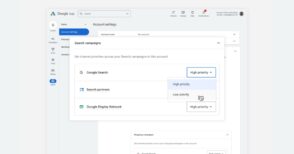 Google Ads déploie deux réglages optionnels pour hiérarchiser les canaux de diffusion et limiter la part du budget quotidien consacrée aux moins prioritaires.
 Anthropic aborde Google Workspace par les deux bouts, avec une extension qui travaille dans le fichier ouvert et des connecteurs qui pilotent Docs, Sheets et Slides depuis le chat.
 À partir du 9 octobre, les comptes Gemini sans abonnement n'auront plus accès qu'au modèle Flash-Lite. Les abonnés AI Plus perdent de leur côté l'accès au modèle Pro.


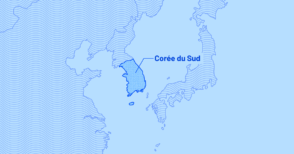 À l'été 2024, la Corée du Sud découvre que des centaines d'écoles sont visées par des deepfakes sexuels fabriqués sur Telegram. Face à un État défaillant et à des plateformes intouchables, ce sont les femmes, victimes et militantes, qui ont dû devenir les enquêtrices.
 Accessible pour l'instant via le programme Fairwind, Gemini 4 Argon sera ensuite proposé en priorité aux clients payants de l'API et aux abonnés Google AI Ultra.
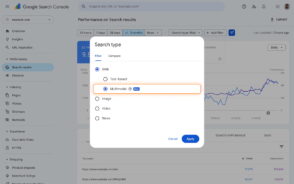 Les recherches lancées depuis l'appareil photo d'un smartphone ou une capture d'écran ne se confondent plus avec les requêtes textuelles dans la Search Console.